Hogar Noticias Aspectos sutiles en Overwatch 2: expandir los límites y cambiar el apodo

Aspectos sutiles en Overwatch 2: expandir los límites y cambiar el apodo

Autor : Sebastian Actualizar : Mar 17,2025

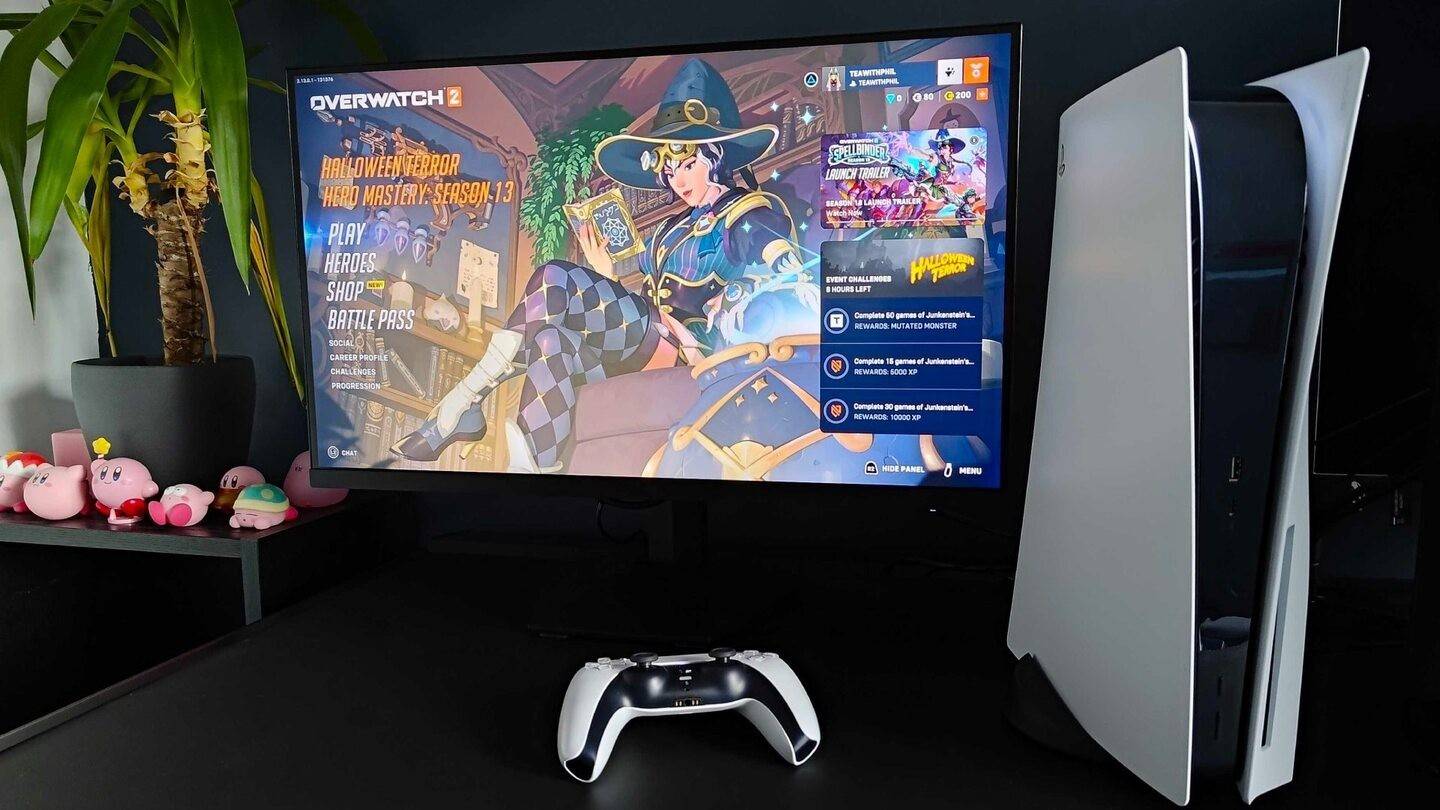
Tu nombre en el juego en Blizzard Games es más que un apodo; Es su identidad digital, un reflejo de su personalidad y estilo de juego dentro de la comunidad de juegos. Pero, ¿qué sucede cuando ese nombre genial envejece? Afortunadamente, cambiar su nombre Overwatch 2 es sencillo, aunque el método depende de su plataforma.

Tabla de contenido

  • ¿Puedes cambiar tu nombre en Overwatch 2?
  • Cómo cambiar tu nombre en Overwatch 2
  • Cambiar tu nick en la PC
  • Cambiar tu nombre en Xbox
  • Cambiar su nombre de usuario en PlayStation
  • Recomendaciones finales

¿Puedes cambiar tu nombre en Overwatch 2?

¡Sí! Cambiar su nombre es fácil, con el proceso que varía ligeramente dependiendo de si está jugando en PC o consola, y si el juego multiplataforma está habilitado.

Cómo cambiar tu nombre en Overwatch 2

Tu nombre en el juego está vinculado a tu cuenta Battle.net (tu Battletag). Aquí está la información clave:

  • Obtienes un cambio de Battletag gratis.
  • Los cambios posteriores incurren en una tarifa (aproximadamente $ 10 USD; consulte la tienda Battle.net para obtener el precio de su región).
  • Si el juego multiplataforma está habilitado, el proceso es el mismo para PC y consolas.
  • Con el juego multiplataforma deshabilitado, cambiará su nombre a través de la configuración de su consola.

Vamos a sumergirnos en los detalles para cada plataforma.

Cambiar tu nick en la PC

Para los reproductores de PC, o los reproductores de consola con juego multiplataforma habilitado, siga estos pasos:

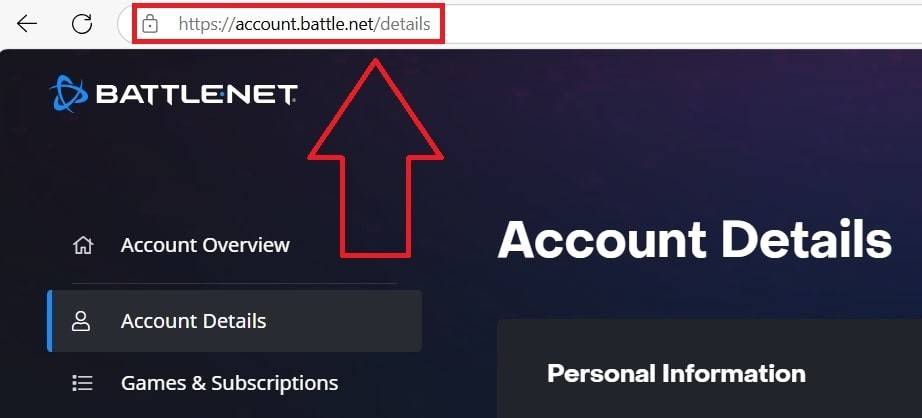
  1. Vaya al sitio web oficial de Battle.net e inicie sesión.
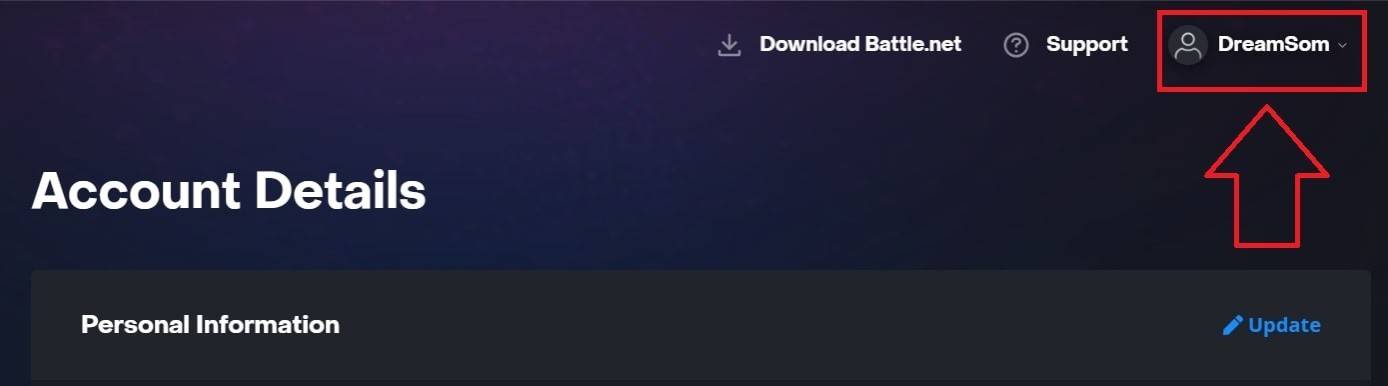
  2. Haga clic en su nombre de usuario actual en la esquina superior derecha.
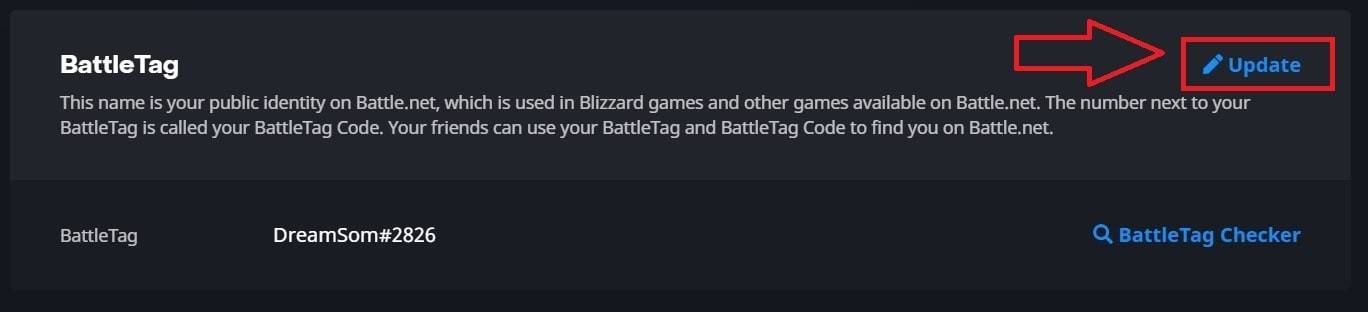
  3. Seleccione "Configuración de cuenta", luego ubique su Battletag.
  4. Haga clic en la "actualización" azul (icono de lápiz) al lado de su Battletag.
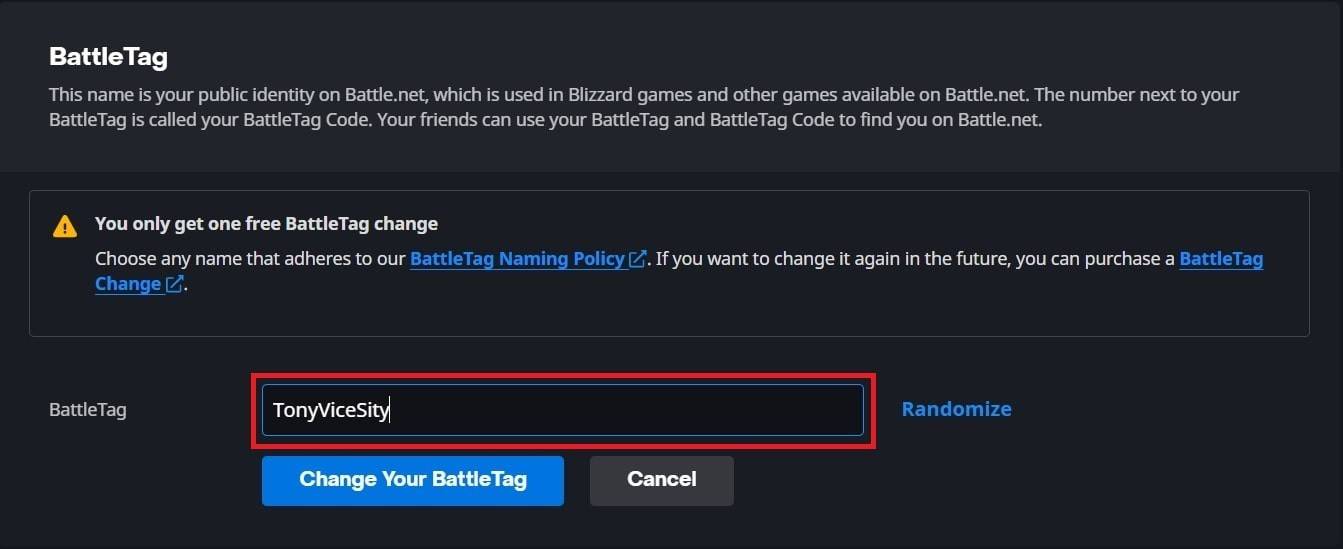
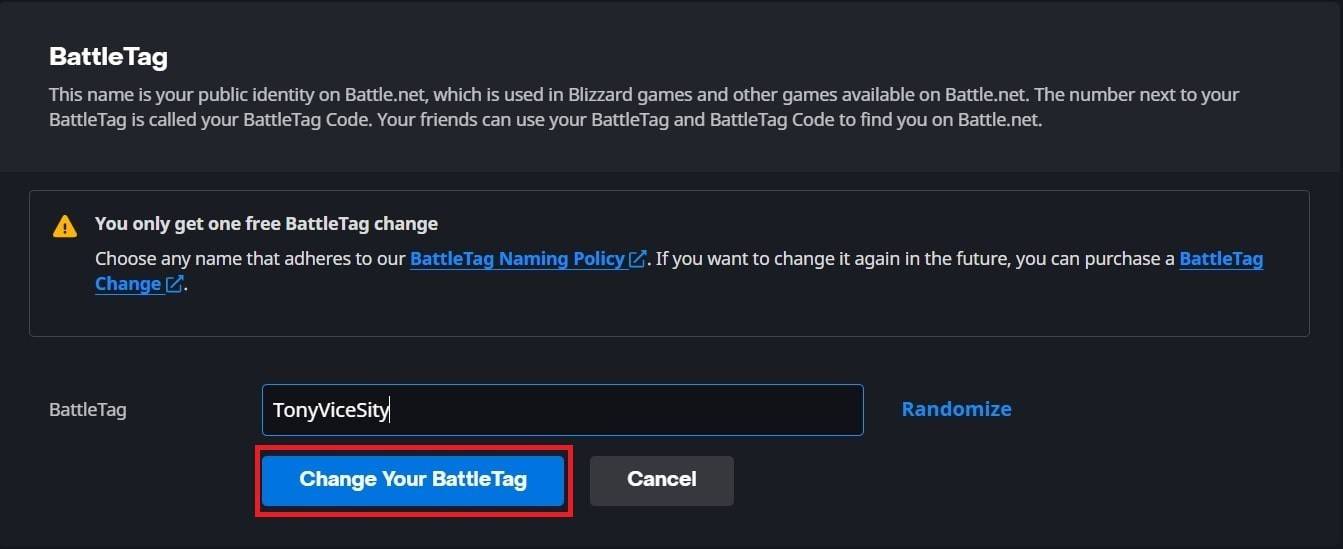
  5. Ingrese su nuevo nombre deseado (después de las políticas de nombres de Battletag).
  6. Haga clic en "Cambie su Battletag".

Nota: El cambio puede tardar hasta 24 horas en propagarse por completo en todas las plataformas.
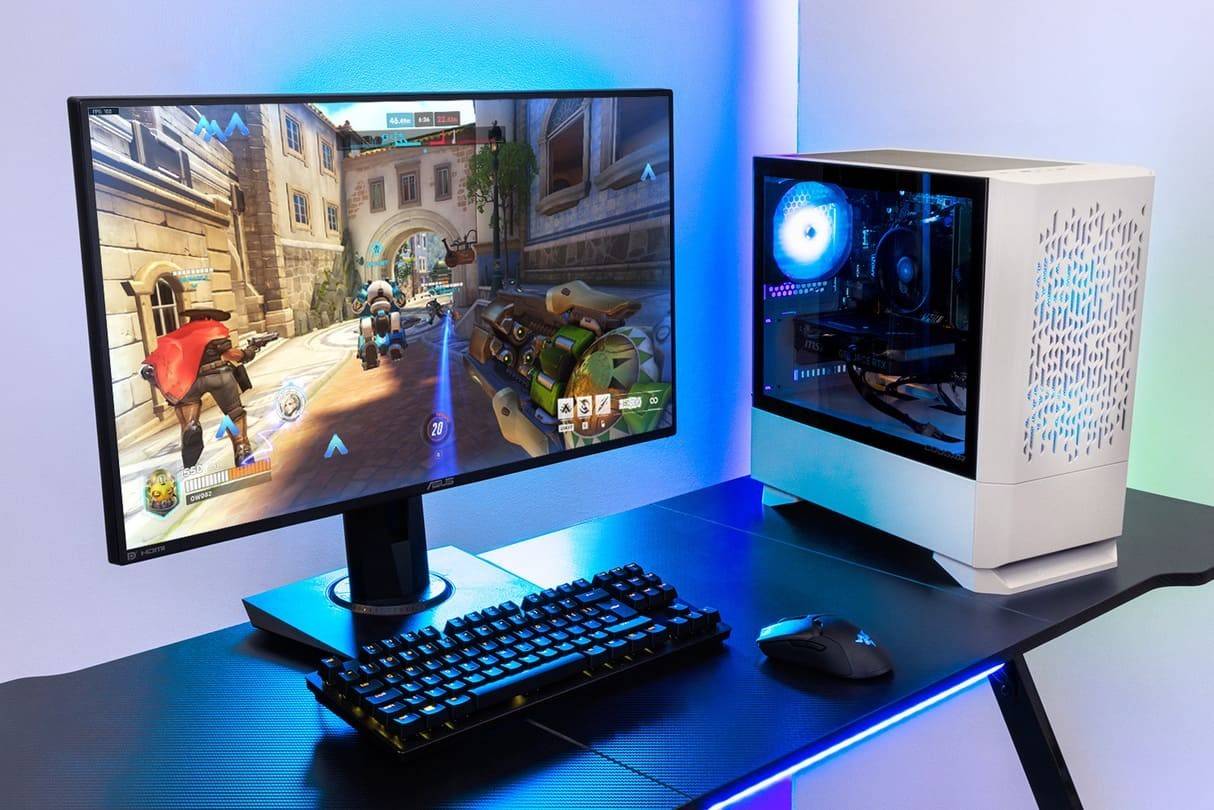
Cómo cambiar tu nombre en Overwatch 2Cambiar tu nick en la PCCambiar tu nick en la PCCambiar tu nick en la PCCambiar tu nick en la PCCambiar tu nick en la PC

Cambiar tu nombre en Xbox

Si juegas en Xbox con Play multiplataforma deshabilitado, tu nombre en el juego es tu Xbox Gamertag. Sigue estos pasos:

  1. Presione el botón Xbox para abrir el menú principal.
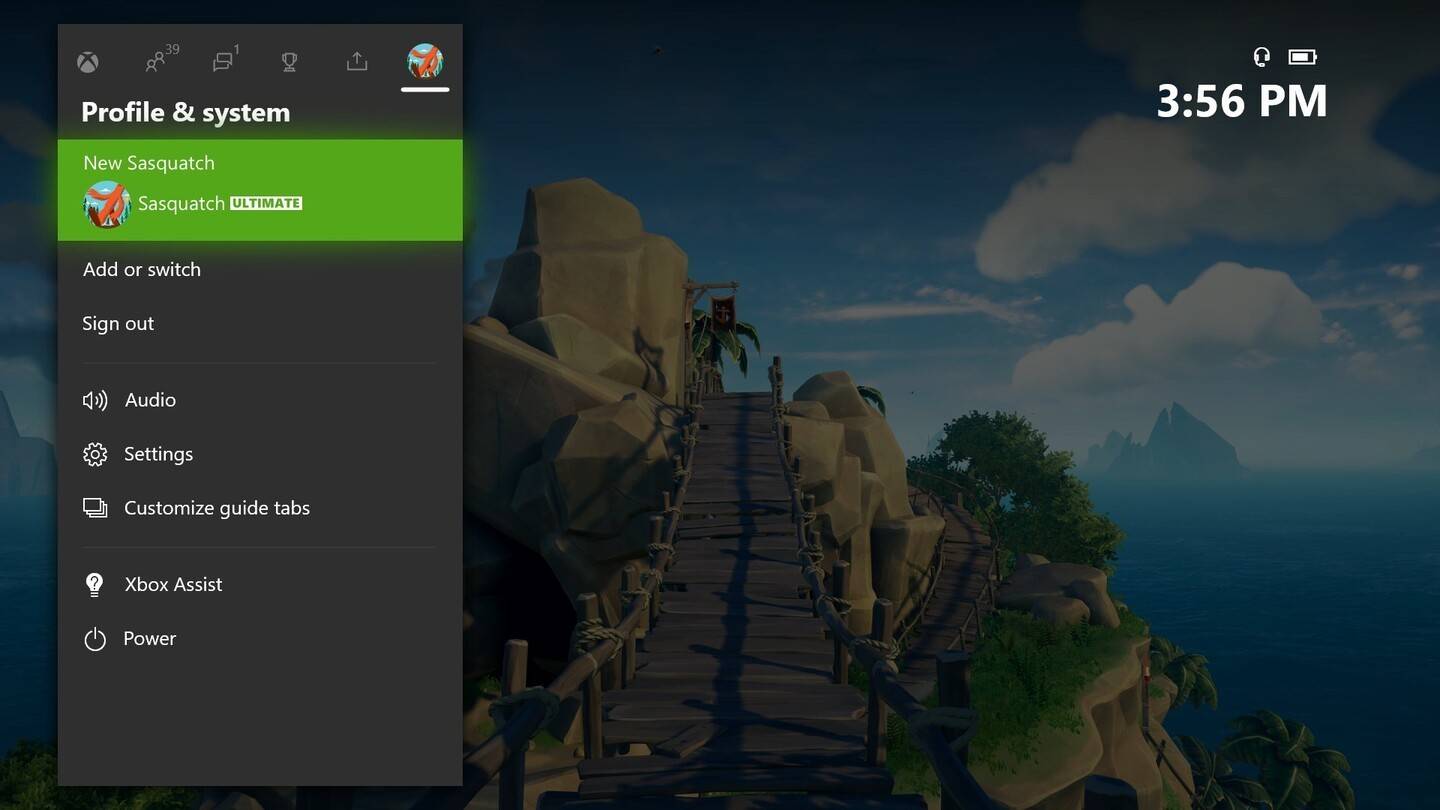
  2. Vaya a "Perfil y sistema", luego seleccione su perfil.
  3. Seleccione "Mi perfil", luego "Perfil de personalización".
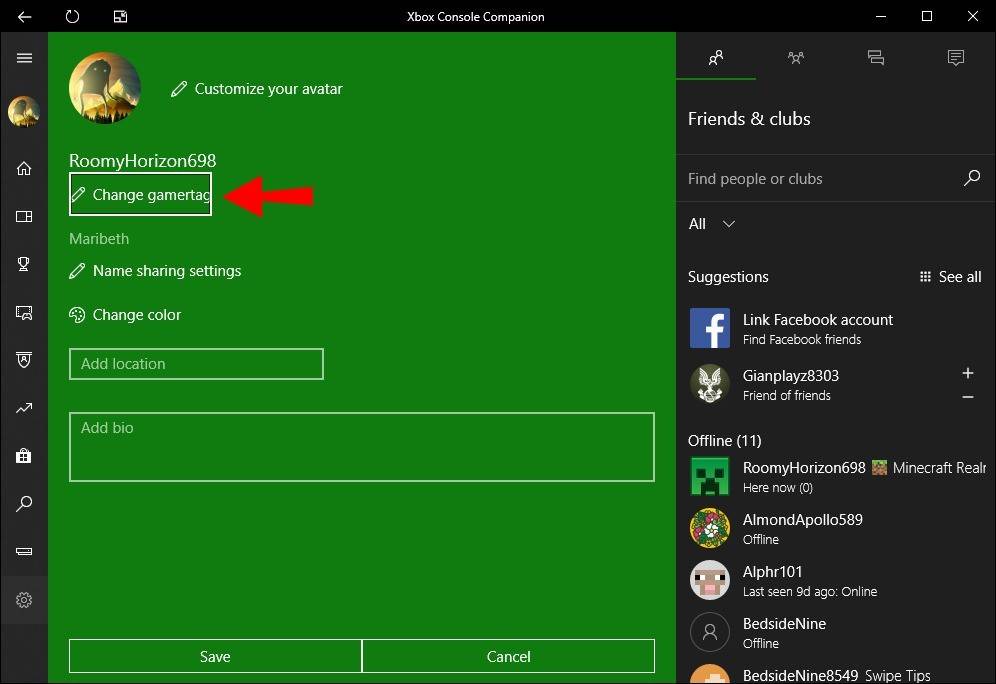
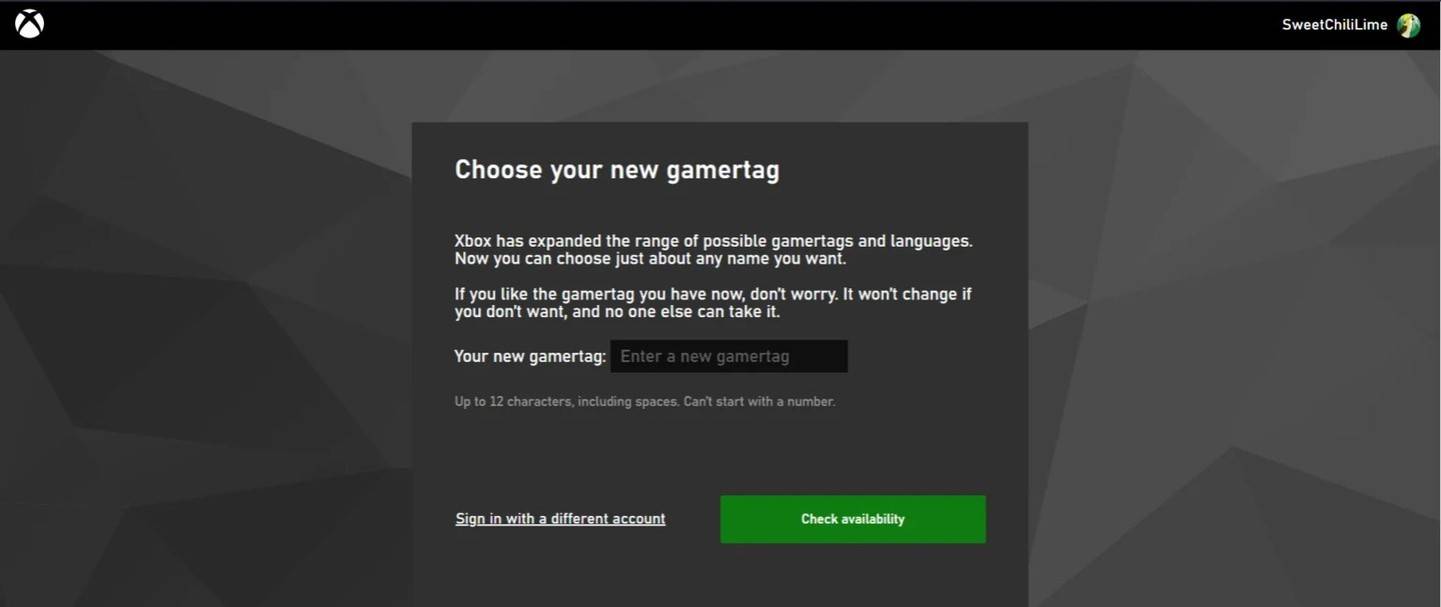
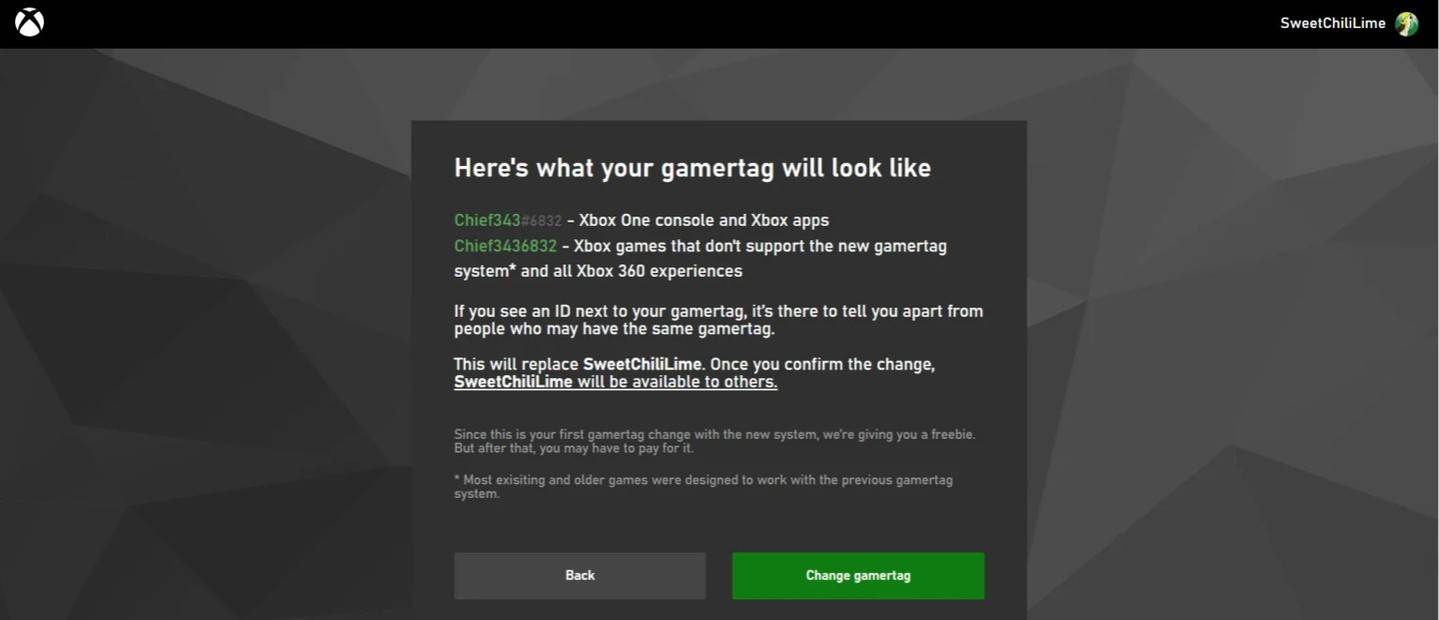
  4. Haga clic en su Gamertag, ingrese su nuevo nombre y confirme.

Nota: Este cambio de nombre solo afecta a otros reproductores de Xbox con juego multiplataforma deshabilitado. Otros verán tu batalla.net Battletag.
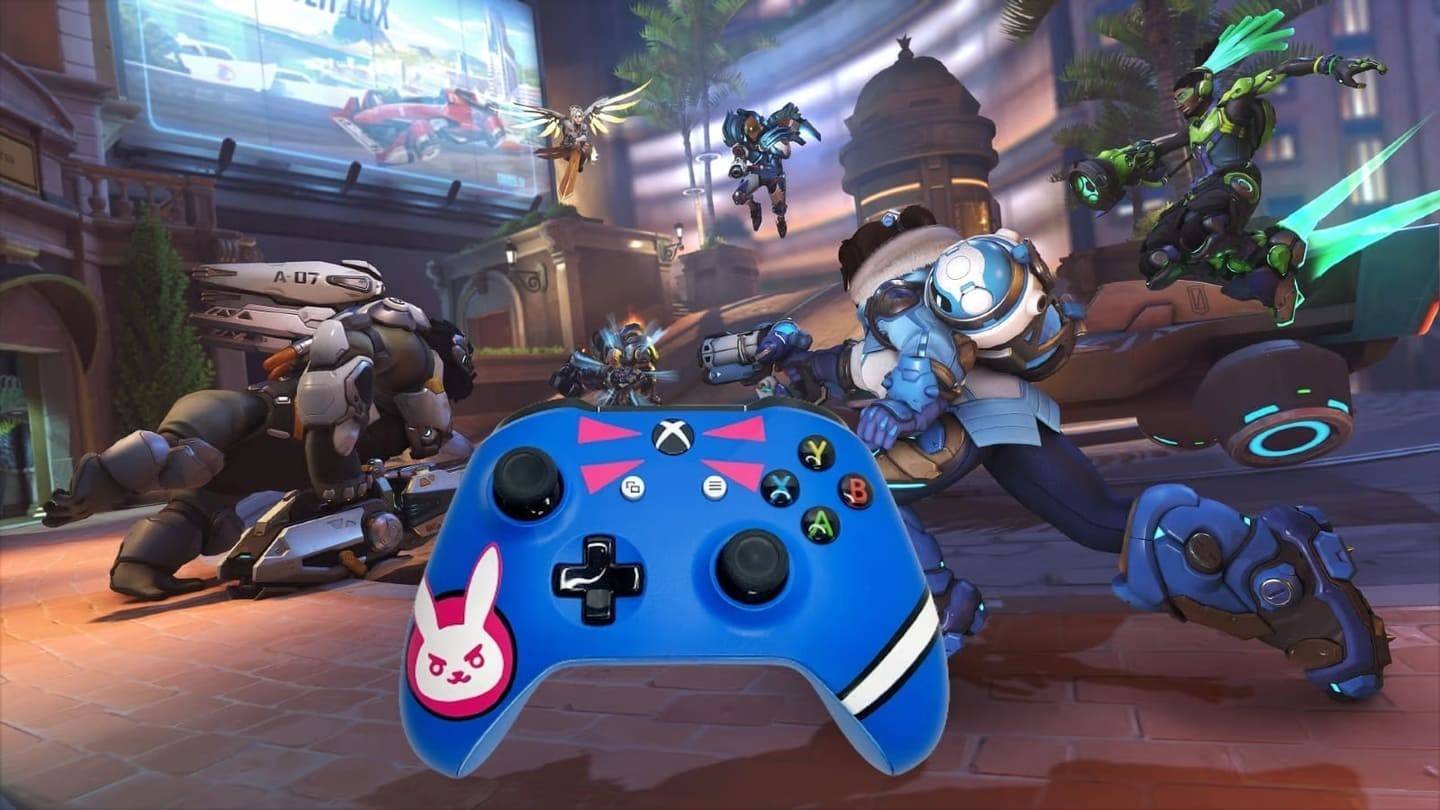
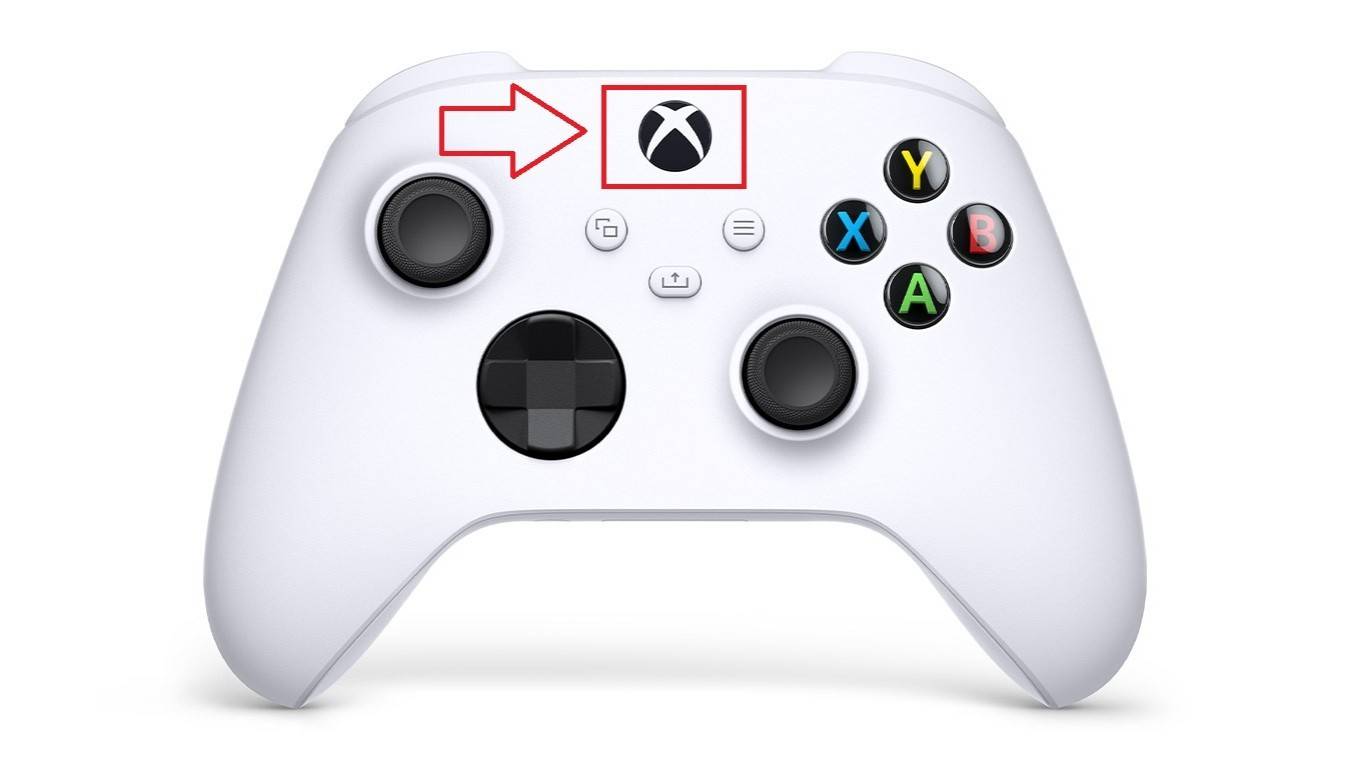
Cambiar tu nombre en XboxCambiar tu nombre en XboxCambiar tu nombre en XboxCambiar tu nombre en XboxCambiar tu nombre en XboxCambiar tu nombre en Xbox

Cambiar su nombre de usuario en PlayStation

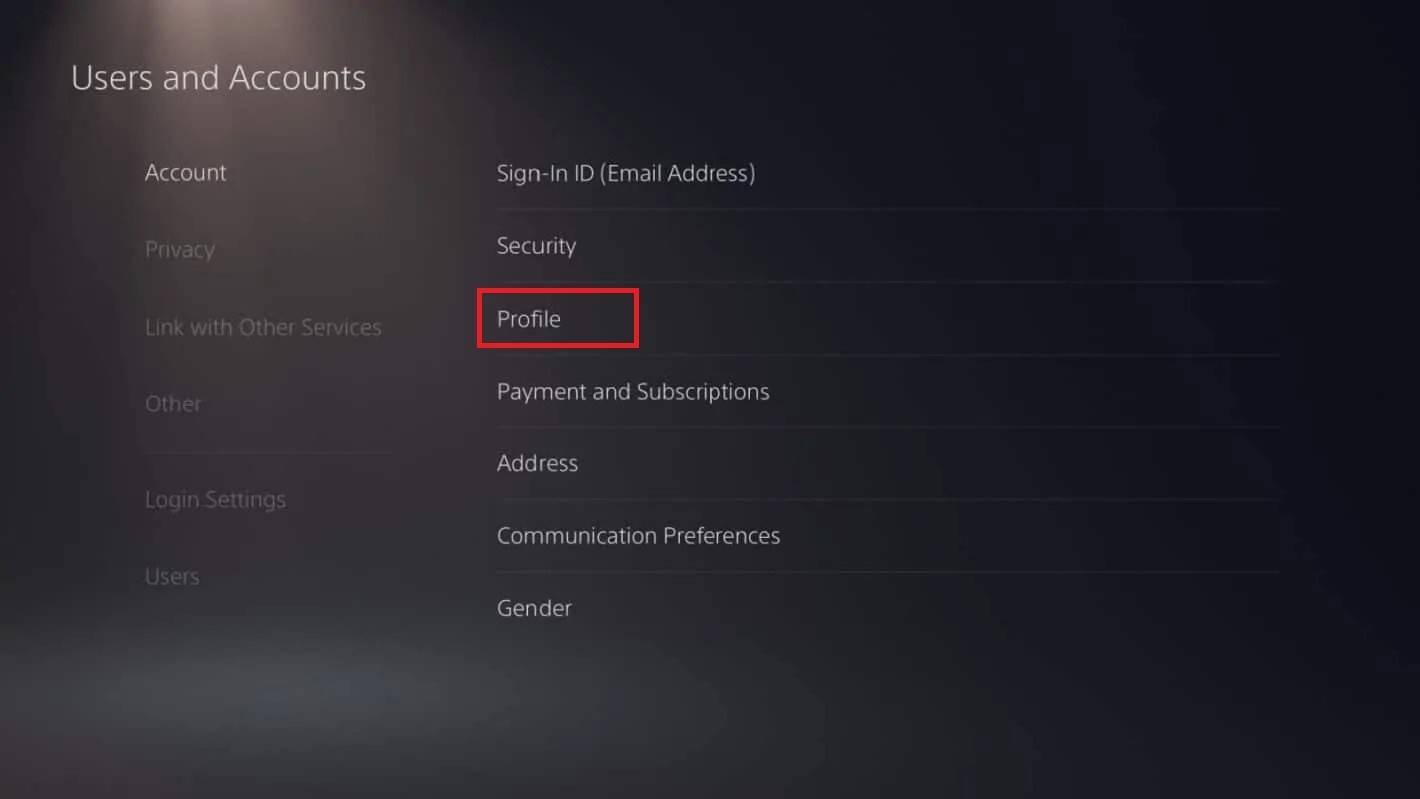
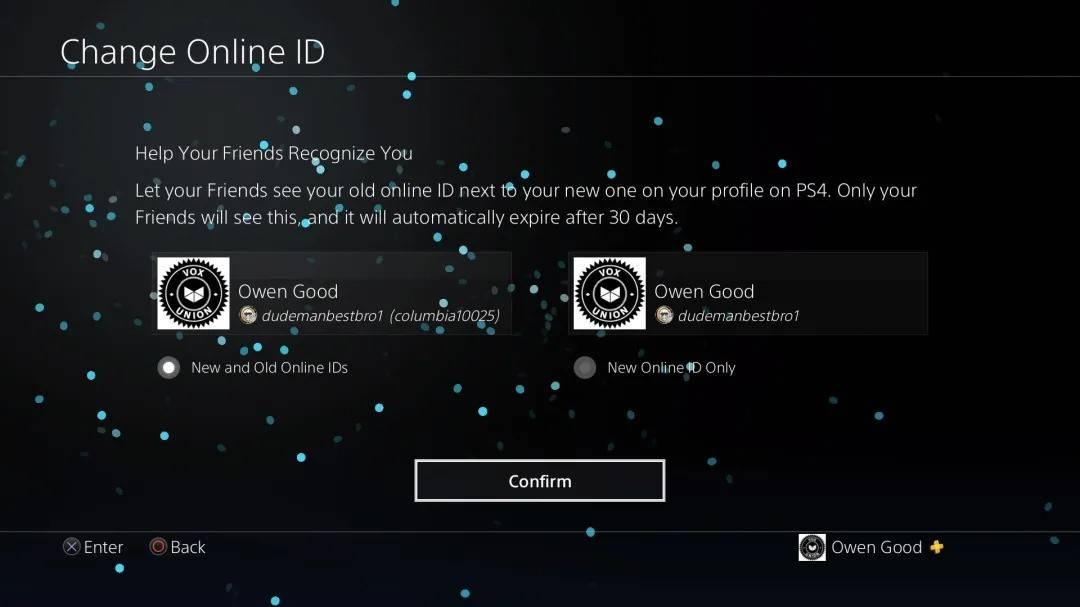
En PlayStation, su nombre en el juego es su ID de PSN. Si la reproducción multiplataforma está deshabilitada:

  1. Abra la configuración de la consola y vaya a "Configuración".
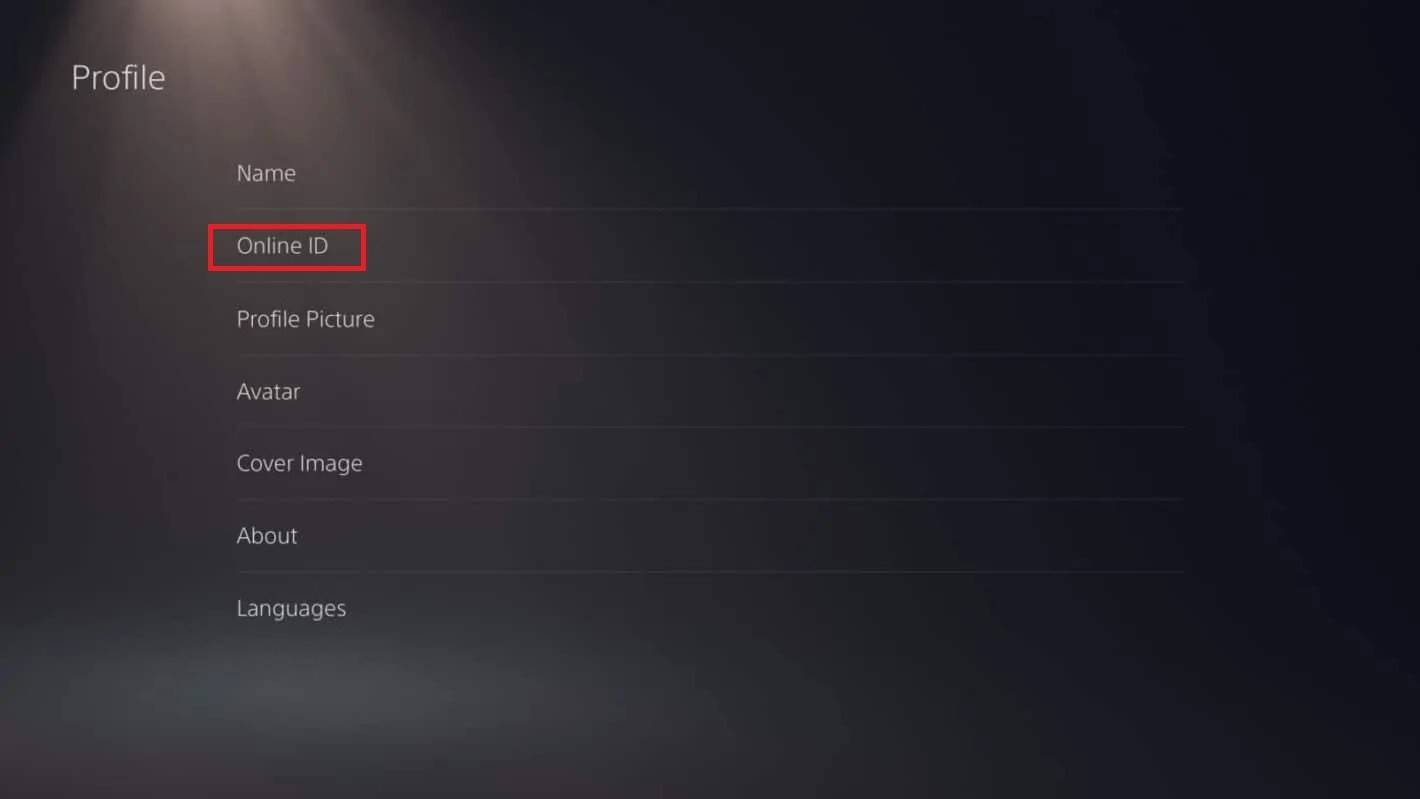
  2. Seleccione "Usuarios y cuentas", luego "Cuentas", luego "Perfil".
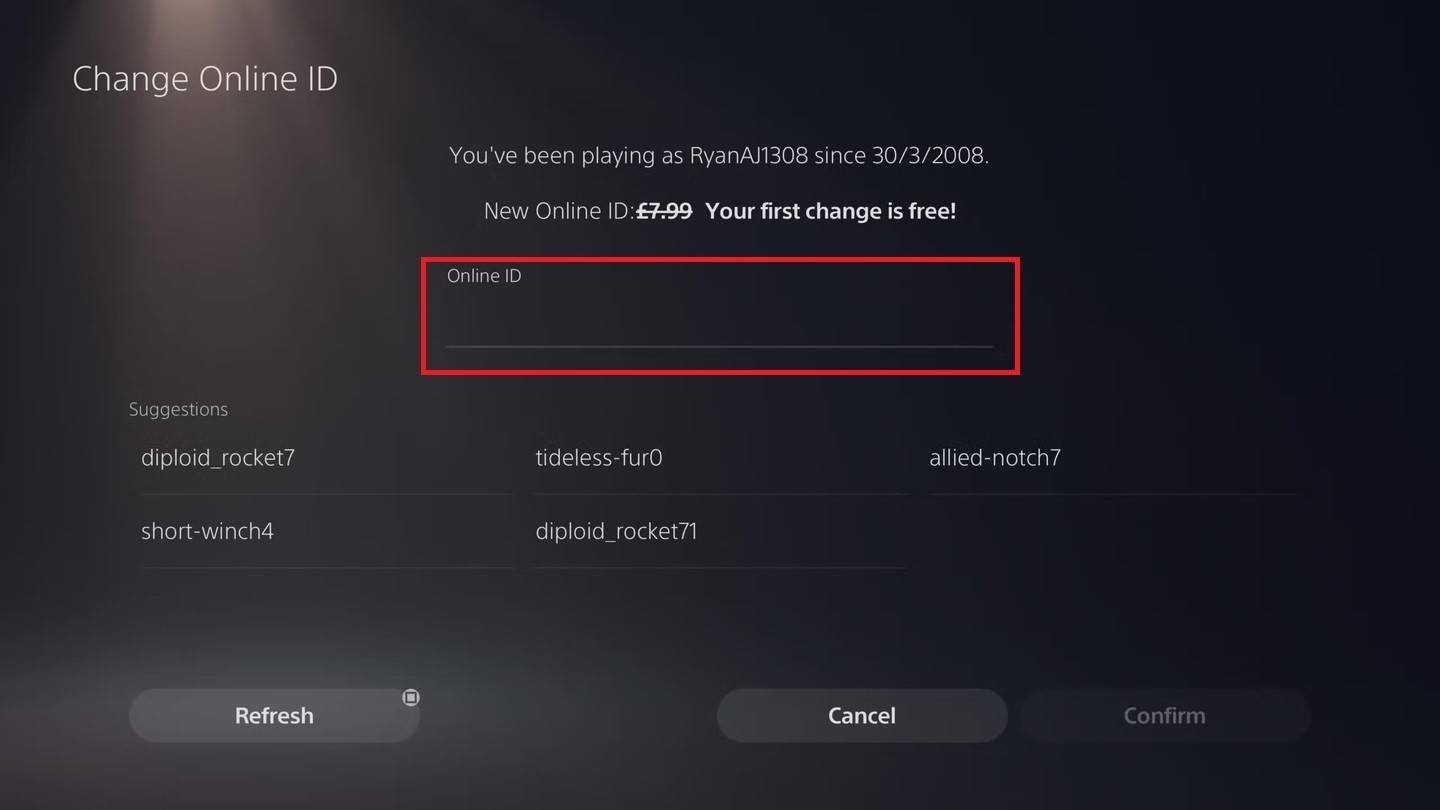
  3. Encuentre "ID en línea" y haga clic en "Cambiar ID en línea".
  4. Ingrese su nuevo nombre y confirme.

Nota: Similar a Xbox, esto solo afecta a los jugadores de PlayStation con discapacitados de juego cruzado. Otros verán tu batalla.net Battletag.
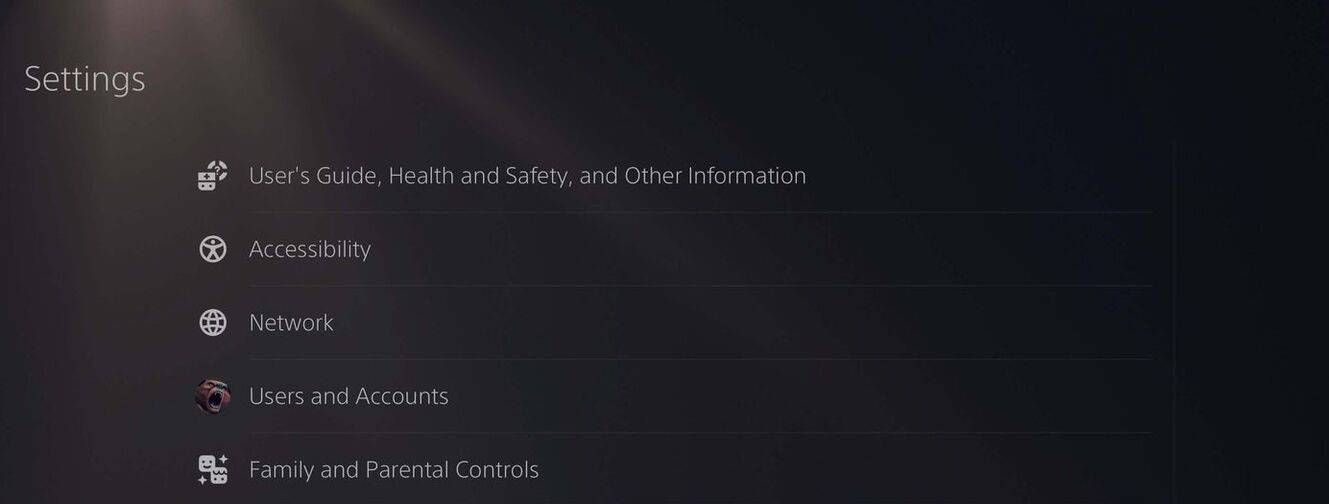
Cambiar su nombre de usuario en PlayStationCambiar su nombre de usuario en PlayStationCambiar su nombre de usuario en PlayStationCambiar su nombre de usuario en PlayStationCambiar su nombre de usuario en PlayStationCambiar su nombre de usuario en PlayStation

Recomendaciones finales

Elija el método anterior que coincida con su plataforma y configuración de juego cruzado. Recuerde, solo obtienes un cambio de Battletag gratis; Los cambios posteriores cuestan dinero. Asegúrese de que su billetera Battle.net tenga fondos suficientes si es necesario.

Últimos artículos

Más
Free and search for "Figment Puzzle". Check the Google Play Store or Apple App Store for similar titles. 🔍 Tip: Try searching for "Figment Puzzle" or "Puzzle Game Figment" on Google for more results. If you have more details (like a logo, gameplay style, or developer name), I’d be happy to help identify the correct game! Let me know how I can assist further! 🧩" class="uk-flex uk-flex-middle">It looks like you're referring to a mobile puzzle game called Figment Puzzle Game, possibly available for free on the Epic Games Store. However, as of now, there is no widely known or officially released game titled "Figment Puzzle Game" on the Epic Games Store or other major platforms. It’s possible there may be some confusion or a mix-up with the name. Here are a few possibilities: Misremembered Title: You might be thinking of Figment, a character from the Disney universe (popularized in Disney's Figment attraction at Epcot). There have been educational or children’s games featuring Figment, but not a major standalone puzzle game called "Figment Puzzle Game". Indie Game: It could be an indie mobile puzzle game released under a similar name. You can check the Epic Games Store (on mobile or desktop) or Google Play and Apple App Store to search for "Figment Puzzle" to see if any such game exists. Epic Games Store Mobile Availability: The Epic Games Store is available on Android devices, and it does offer free-to-play games, including puzzle games. You can browse the "Free" section there and search for "Figment" or similar terms. ✅ What You Can Do: Open the Epic Games Store app on your Android device. Go to Games > Free and search for "Figment Puzzle". Check the Google Play Store or Apple App Store for similar titles. 🔍 Tip: Try searching for "Figment Puzzle" or "Puzzle Game Figment" on Google for more results. If you have more details (like a logo, gameplay style, or developer name), I’d be happy to help identify the correct game! Let me know how I can assist further! 🧩 Lectura
Redeem Code). If it works, great! Share it here (if you’d like) to help others. Stay safe, and happy tower defending! 🏰🛡️" class="uk-flex uk-flex-middle">As of now, August 2025, there is no officially confirmed list of active redeem codes for The Tower – Idle Tower Defense. Game developers frequently release and expire codes over time, and many "working" codes circulating online are outdated or fake. That said, here’s how you can stay updated and potentially find real, working redeem codes for The Tower – Idle Tower Defense in August 2025: ✅ How to Find Working Redeem Codes (August 2025) Check the Official Game Social Media: Twitter/X: Follow @TheTowerGame (if active). Discord: Join the official Discord server (search "The Tower Game Discord" on Google). Facebook Page: Look for "The Tower – Idle Tower Defense" on Facebook. Visit the Official Website: Check https://www.thetowergame.com (if live) for news, updates, or a "Codes" section. Watch for In-Game Events: Special events (anniversary, seasonal updates) often drop exclusive codes. Look for pop-up notifications or special banners in-game. Reputable Gaming Sites (Use with Caution): Sites like GameGrumps, TouchTapPlay, or 9Mobo sometimes post verified codes. Always double-check codes on the official app or website. 🚫 Warning About Fake Codes Many websites and forums post fake codes like: FREEGEMS123 GIVE10000 NEWYEAR2025 These do not work and may lead to phishing or malware. ✅ Current Best Practice (August 2025): There are no verified, working codes available at this time. The most reliable way to get rewards is: Playing regularly. Completing daily login streaks. Participating in official events. 🔔 Pro Tip: Set a reminder to check The Tower’s official social media every 1–2 weeks—codes are often released during major updates. If you find a code that works, please verify it via the official in-game redemption system (Settings > Redeem Code). If it works, great! Share it here (if you’d like) to help others. Stay safe, and happy tower defending! 🏰🛡️ Lectura