ニュース オーバーウォッチ2の微妙な側面:境界を拡張してニックネームを変更する

オーバーウォッチ2の微妙な側面:境界を拡張してニックネームを変更する

著者 : Sebastian アップデート : Mar 17,2025

Blizzard Gamesのゲーム内の名前は、単なるニックネーム以上のものです。それはあなたのデジタルアイデンティティであり、ゲームコミュニティ内のあなたの性格とプレイスタイルの反映です。しかし、そのクールな名前が古くなるとどうなりますか?幸いなことに、オーバーウォッチ2の名前を変更するのは簡単ですが、この方法はプラットフォームに依存します。

目次

  • オーバーウォッチ2で名前を変更できますか?
  • オーバーウォッチ2の名前を変更する方法
  • PCでニックを変える
  • Xboxであなたの名前を変更します
  • PlayStationでユーザー名を変更します
  • 最終的な推奨事項

オーバーウォッチ2で名前を変更できますか?

はい!名前を変更するのは簡単です。PCでプレイするかコンソールで再生するか、クロスプラットフォームのプレイが有効かどうかによって、プロセスはわずかに変化します。

オーバーウォッチ2の名前を変更する方法

ゲーム内の名前は、battle.netアカウント(battletag)に関連付けられています。これが重要な情報です:

  • 無料のバトルタグの変更が1つあります。
  • その後の変更には料金が発生します(約10米ドル。battle.netショップでお住まいの地域の価格を確認してください)。
  • クロスプラットフォームの再生が有効になっている場合、プロセスはPCとコンソールで同じです。
  • クロスプラットフォームの再生が無効になると、コンソールの設定を通じて名前を変更します。

各プラットフォームの詳細に飛び込みましょう。

PCでニックを変える

PCプレーヤー、またはクロスプラットフォームプレイを有効にするコンソールプレーヤーの場合、次の手順に従ってください。

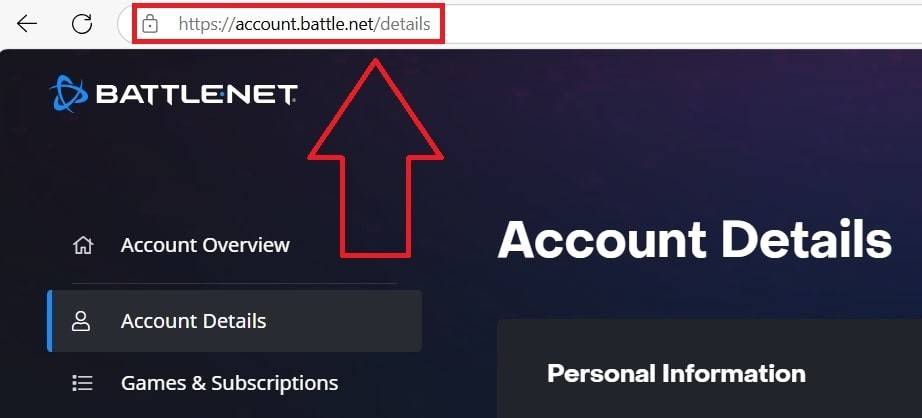
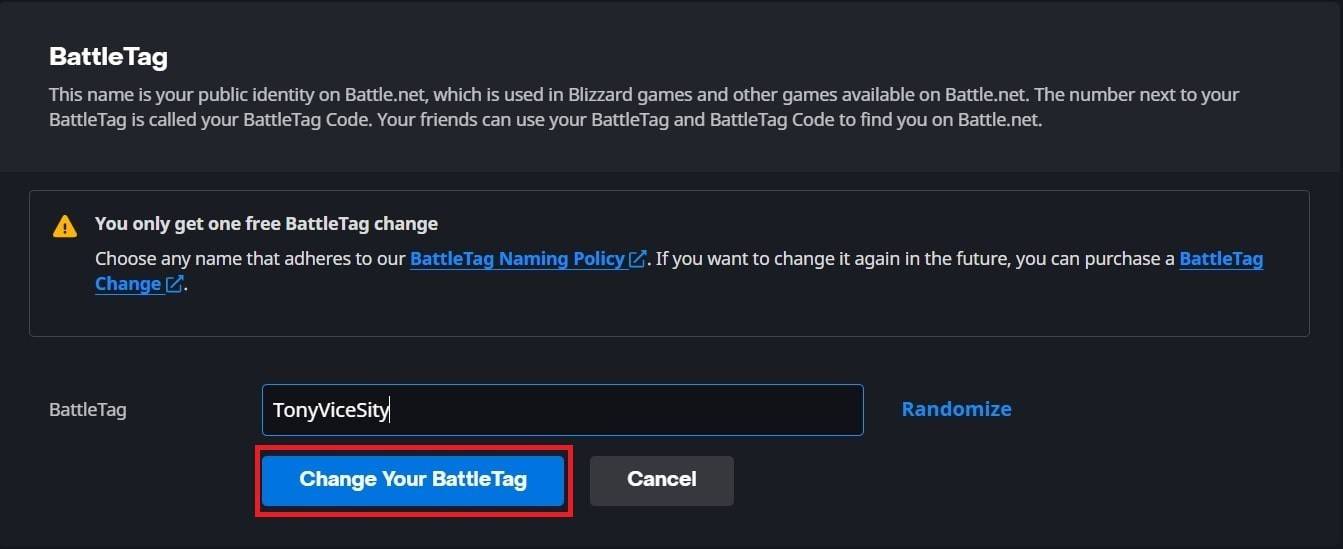
  1. 公式のbattle.netのWebサイトに移動してログインします。
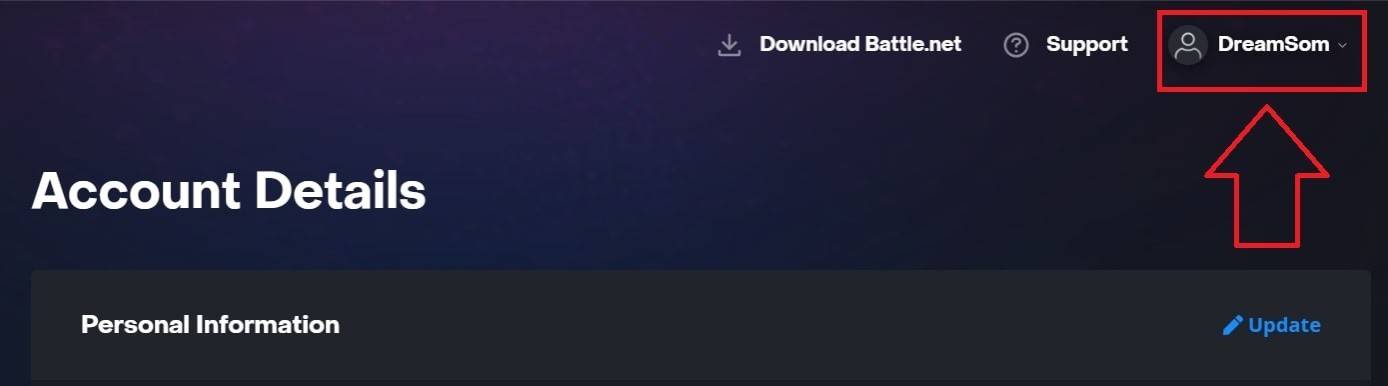
  2. 右上隅の現在のユーザー名をクリックします。
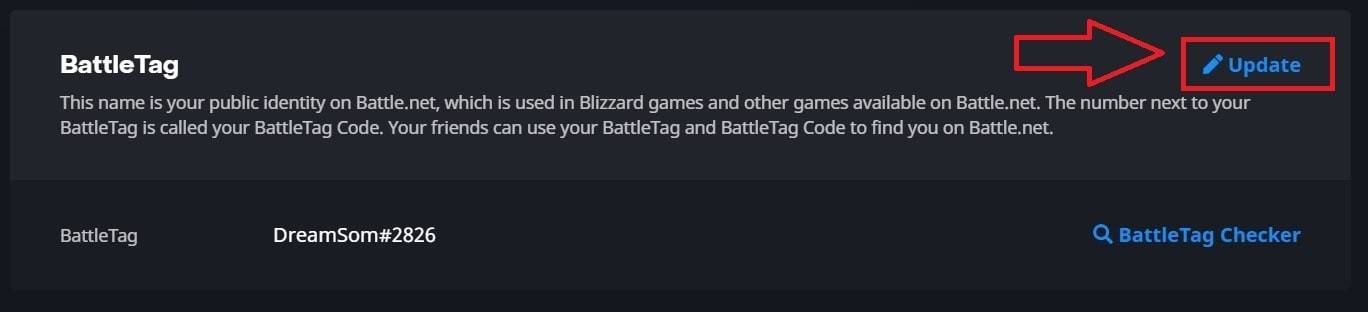
  3. [アカウント設定]を選択し、Battletagを見つけます。
  4. Battletagの横にある青い「更新」(鉛筆アイコン)をクリックします。
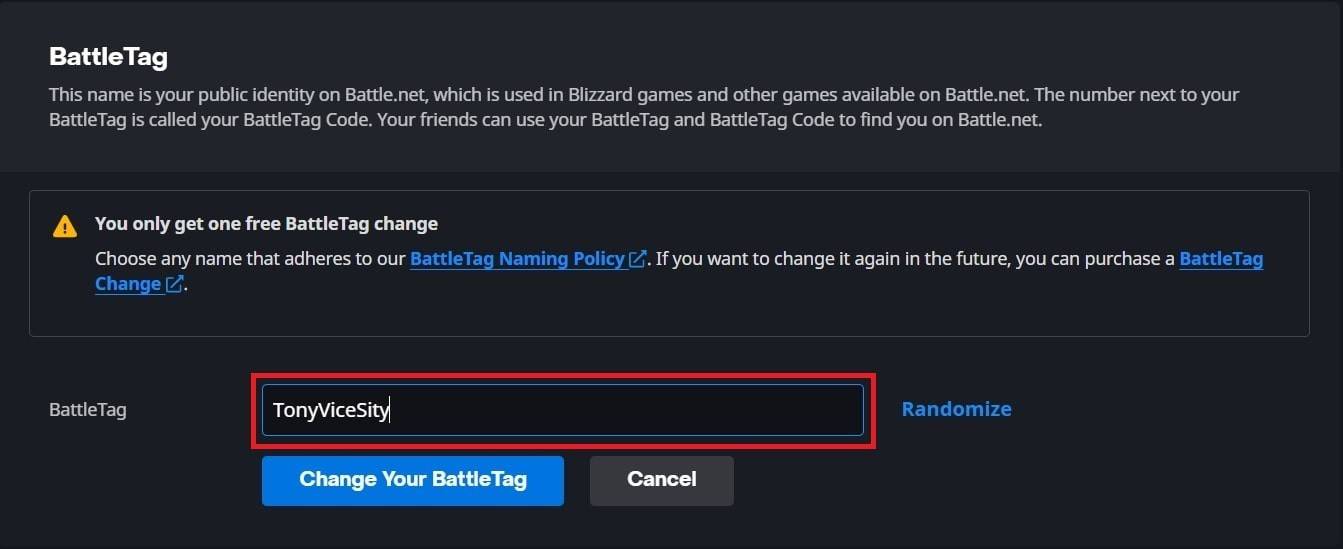
  5. 新しい希望の名前を入力します(battletagの命名ポリシーに従います)。
  6. [Battletagを変更]をクリックします。

注:すべてのプラットフォームで完全に伝播するのに最大24時間かかる場合があります。
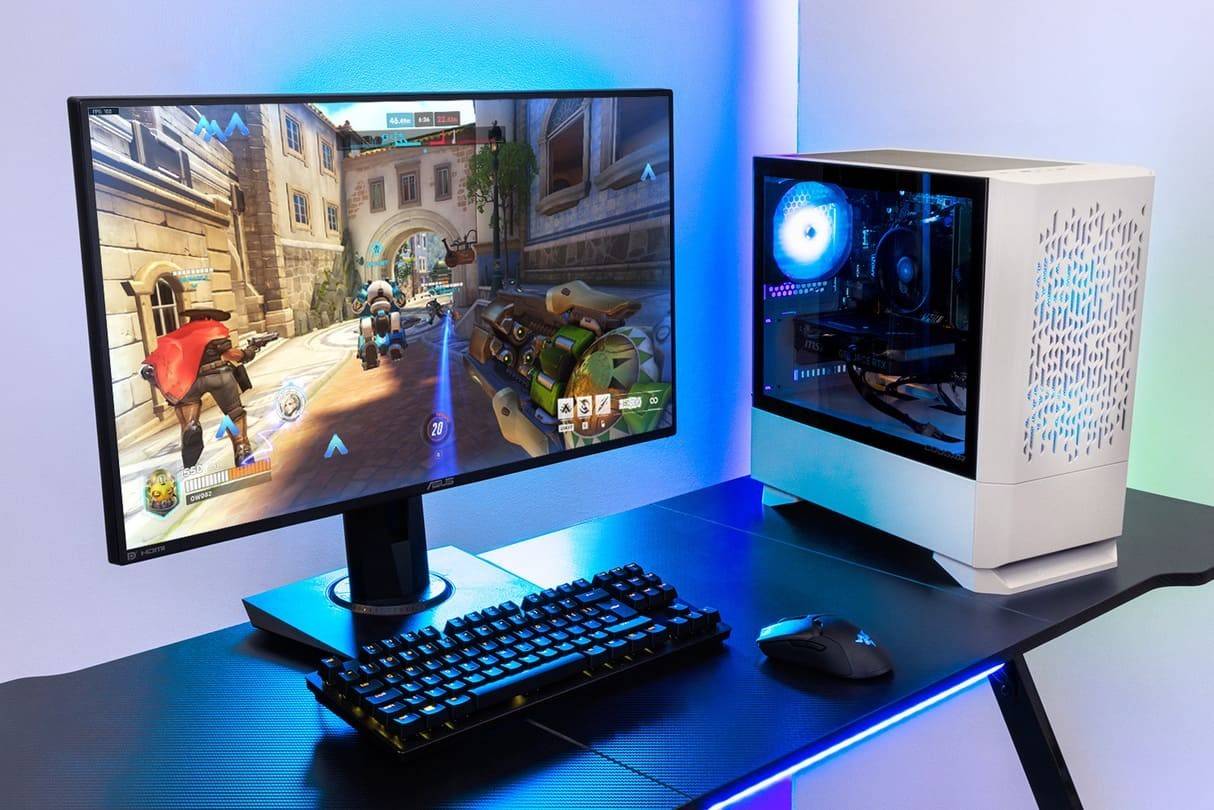
オーバーウォッチ2の名前を変更する方法PCでニックを変えるPCでニックを変えるPCでニックを変えるPCでニックを変えるPCでニックを変える

Xboxであなたの名前を変更します

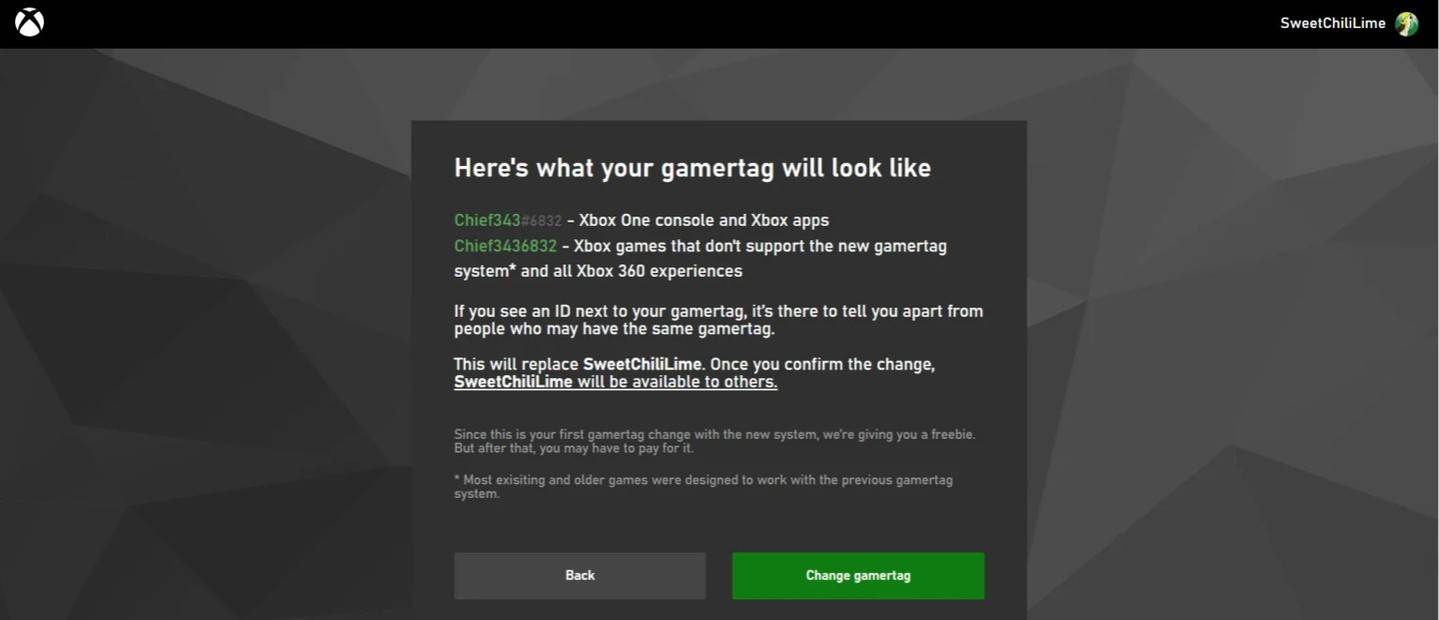
クロスプラットフォームの再生を無効にしてXboxで再生する場合、ゲーム内の名前はXbox Gamertagです。次の手順に従ってください:

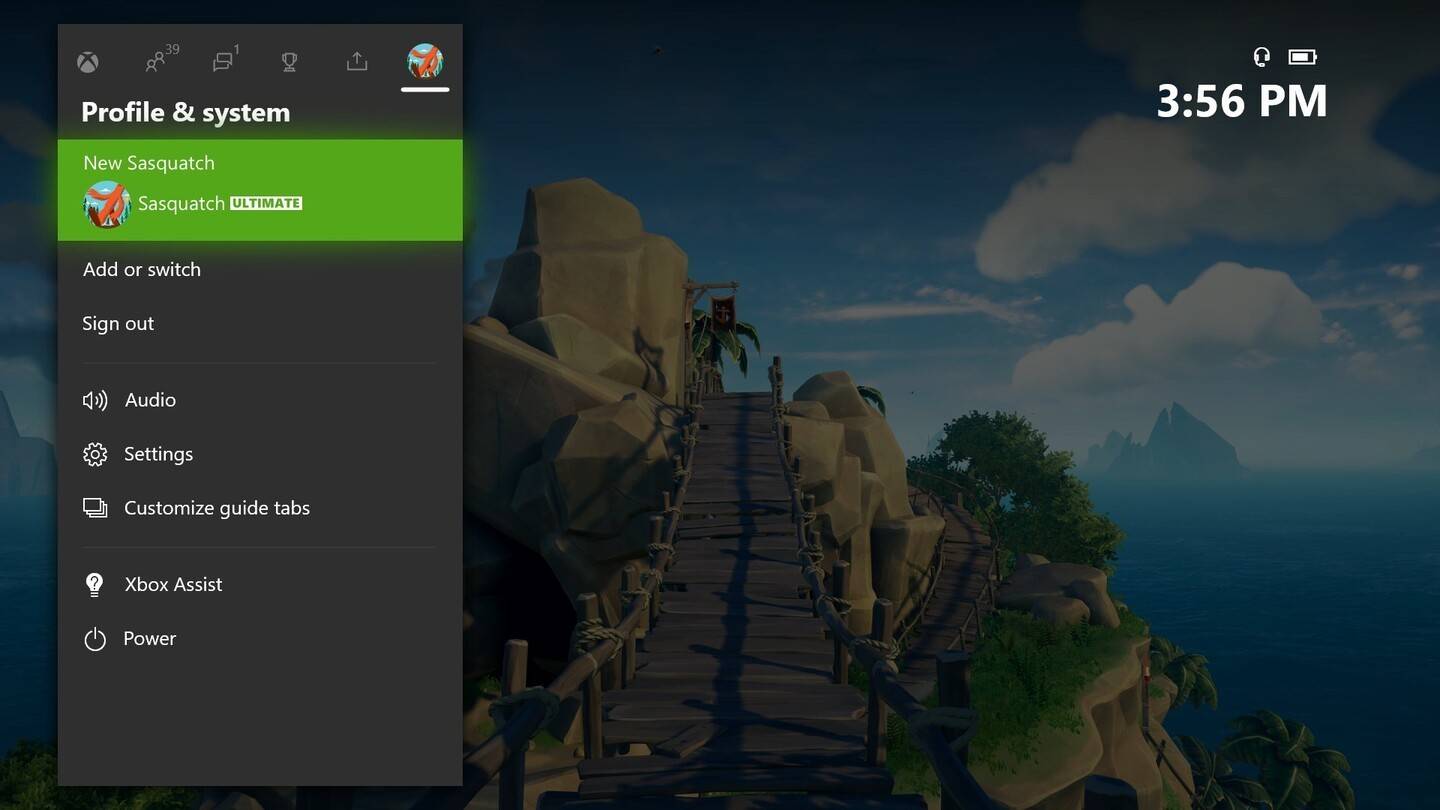
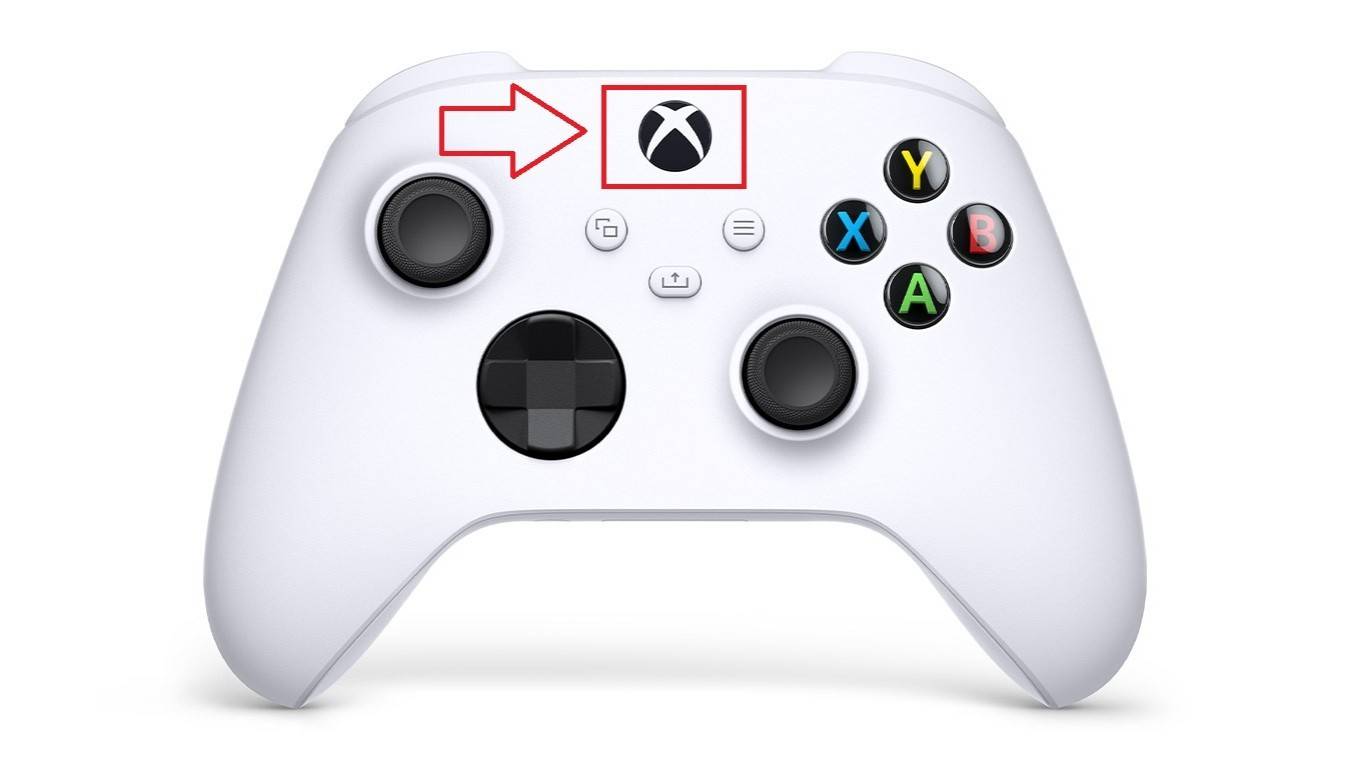
  1. Xboxボタンを押してメインメニューを開きます。
  2. 「プロファイルとシステム」に移動し、プロファイルを選択します。
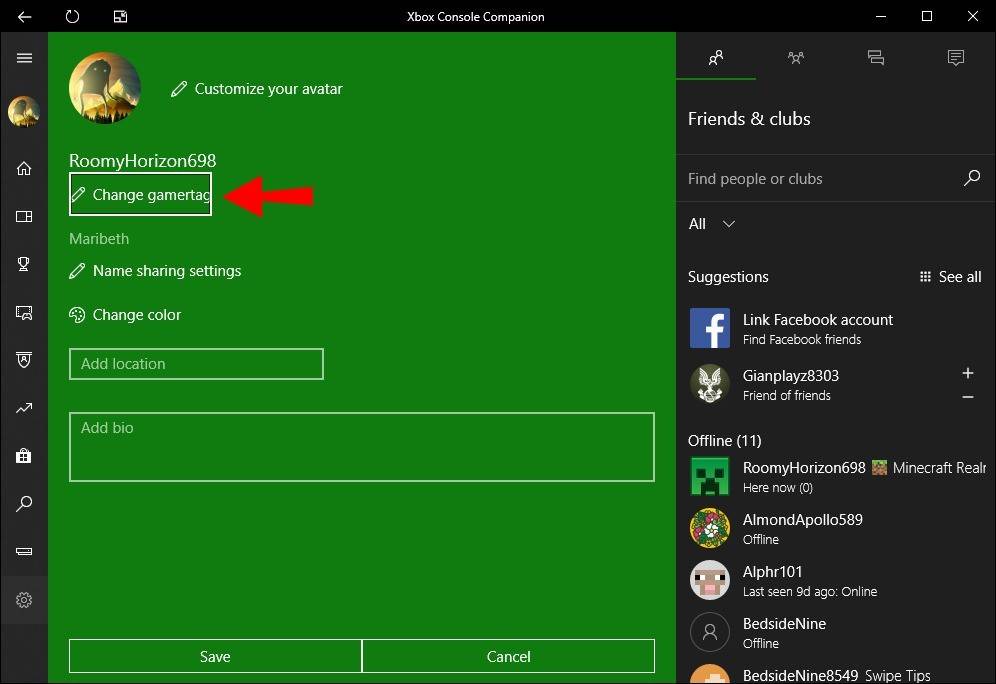
  3. 「私のプロファイル」を選択し、「プロファイルをカスタマイズ」します。
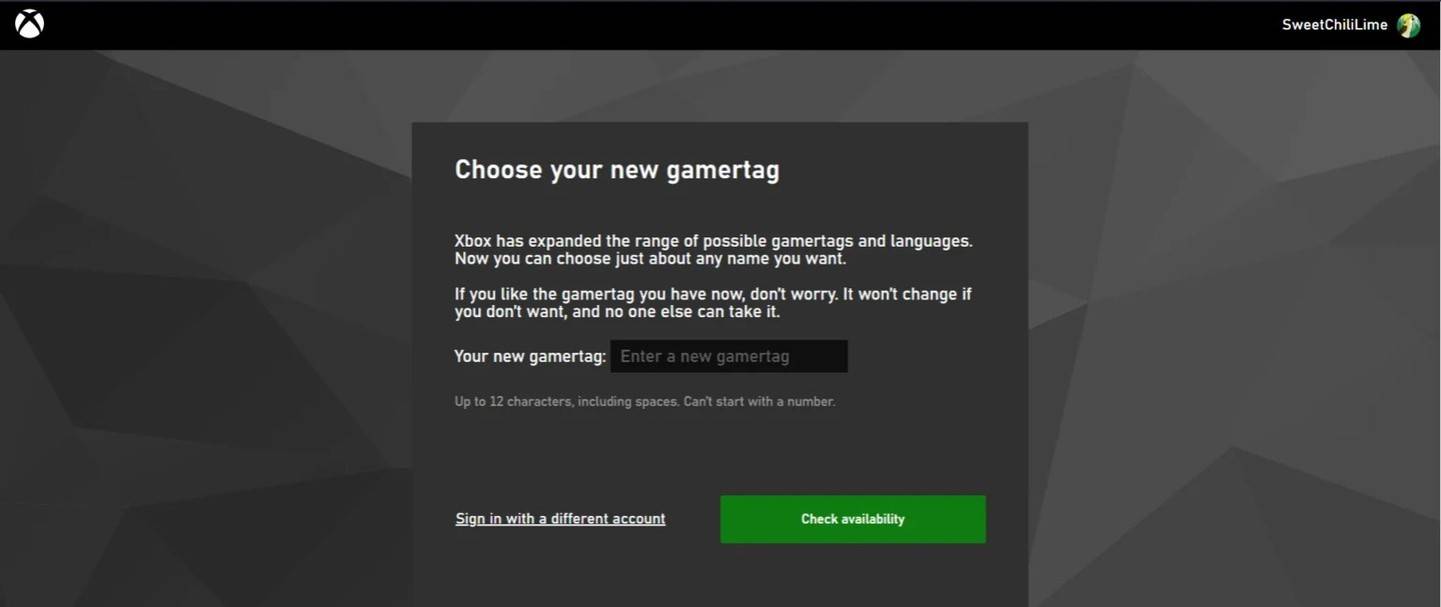
  4. GamerTagをクリックして、新しい名前を入力して確認してください。

注:この名前の変更は、クロスプラットフォームプレイが無効になっている他のXboxプレーヤーのみに影響します。他の人はあなたのbattle.net battletagを見るでしょう。
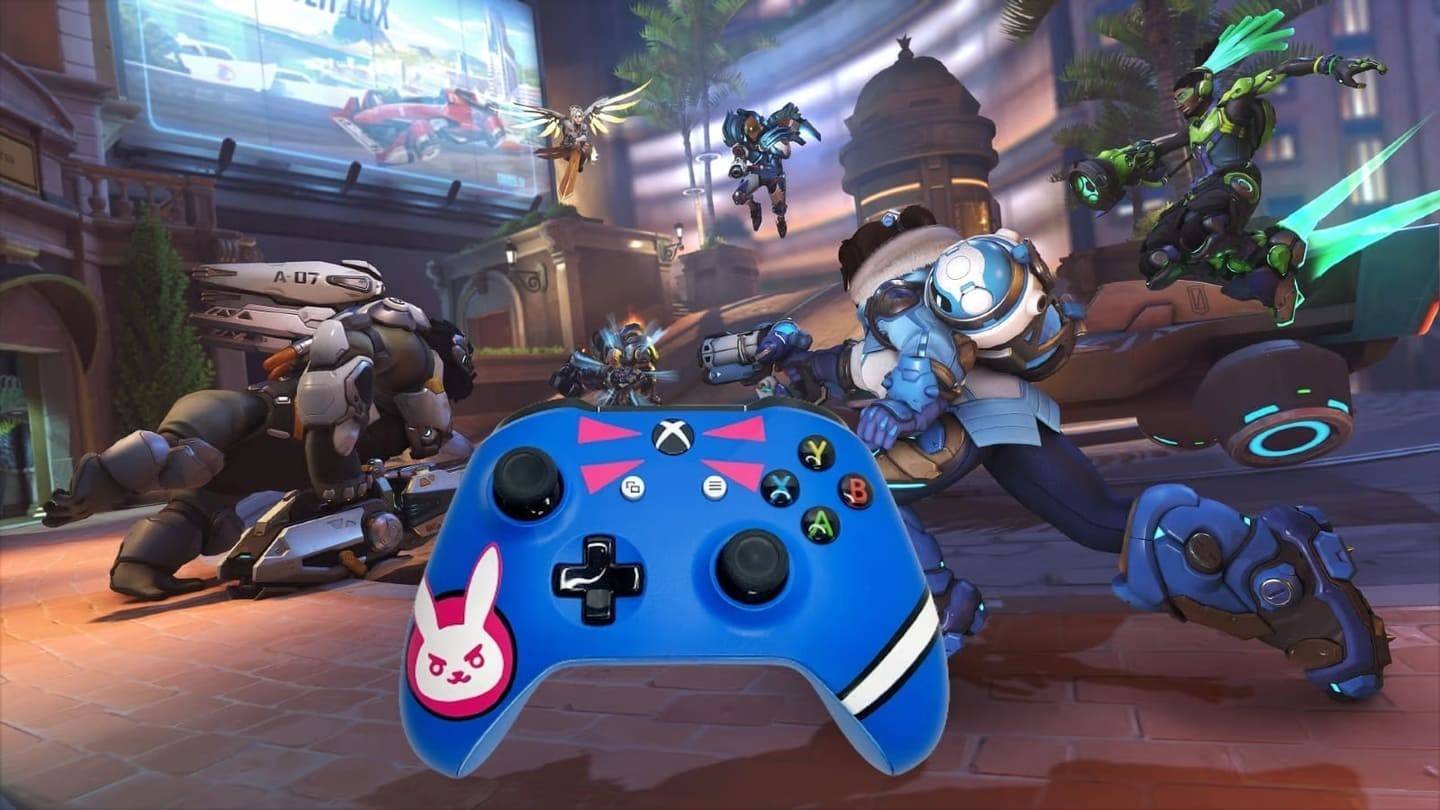
Xboxであなたの名前を変更しますXboxであなたの名前を変更しますXboxであなたの名前を変更しますXboxであなたの名前を変更しますXboxであなたの名前を変更しますXboxであなたの名前を変更します

PlayStationでユーザー名を変更します

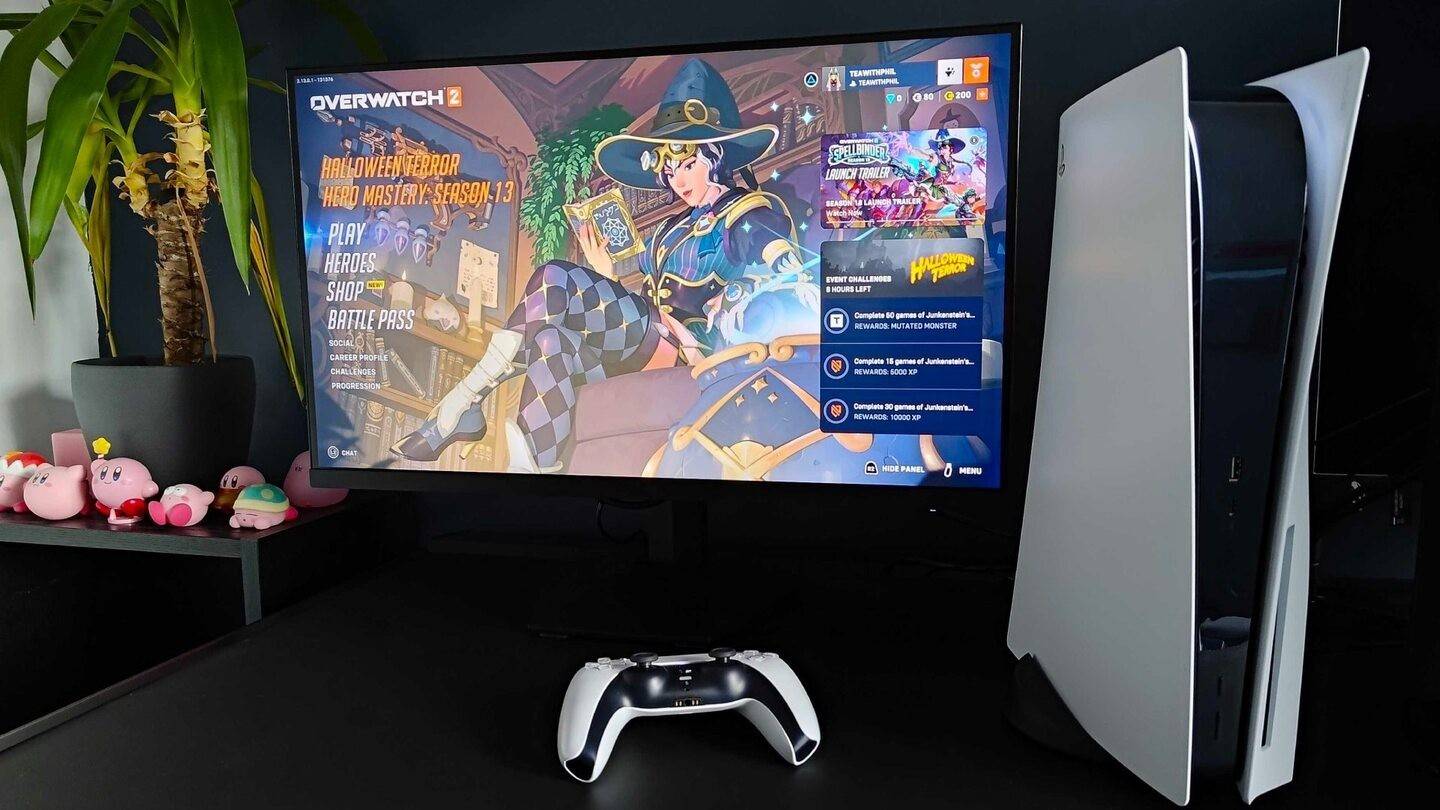
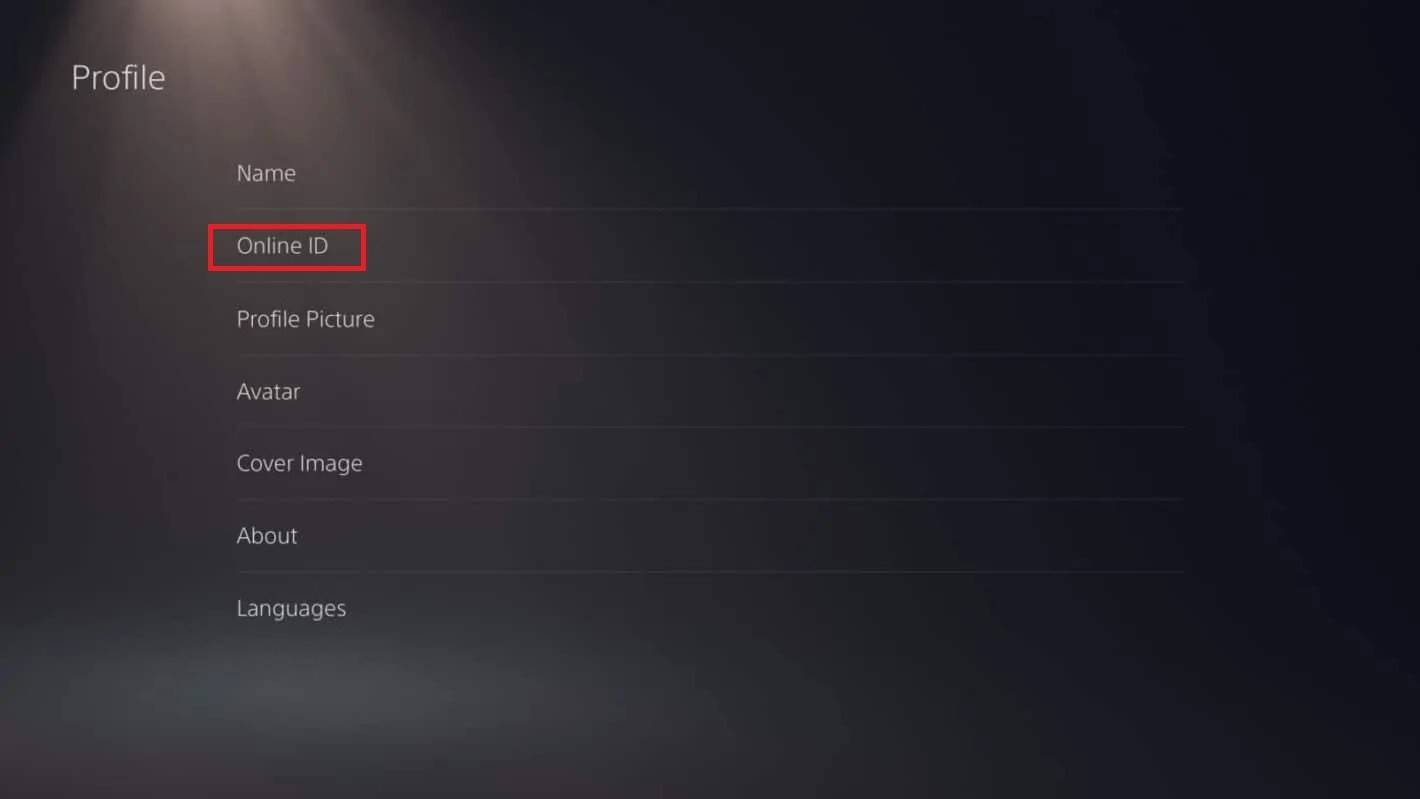
PlayStationでは、ゲーム内の名前はPSN IDです。クロスプラットフォームプレイが無効になっている場合:

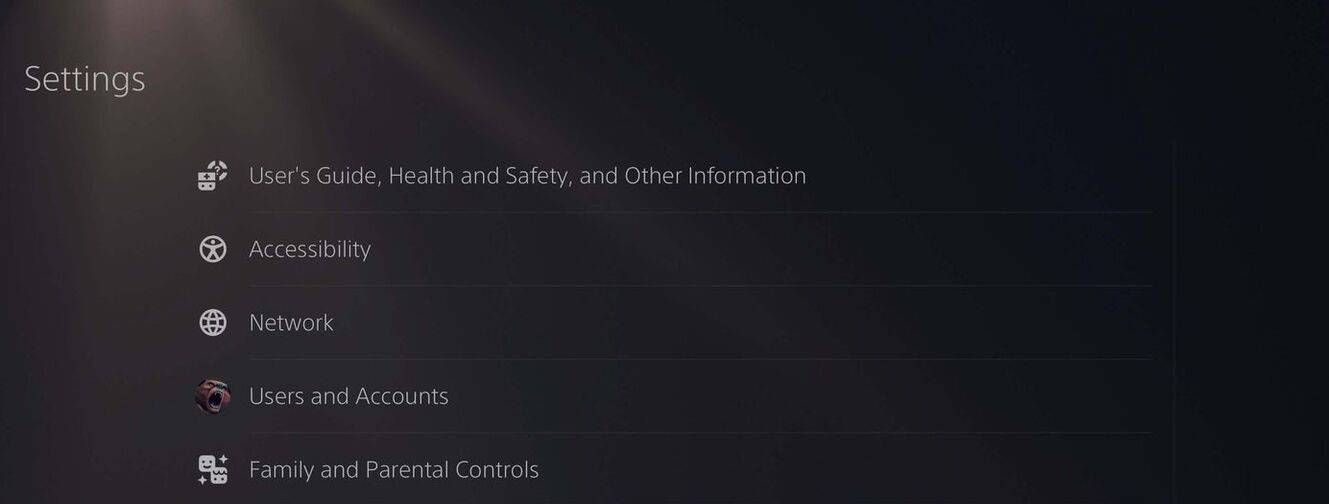
  1. コンソールの設定を開き、「設定」に移動します。
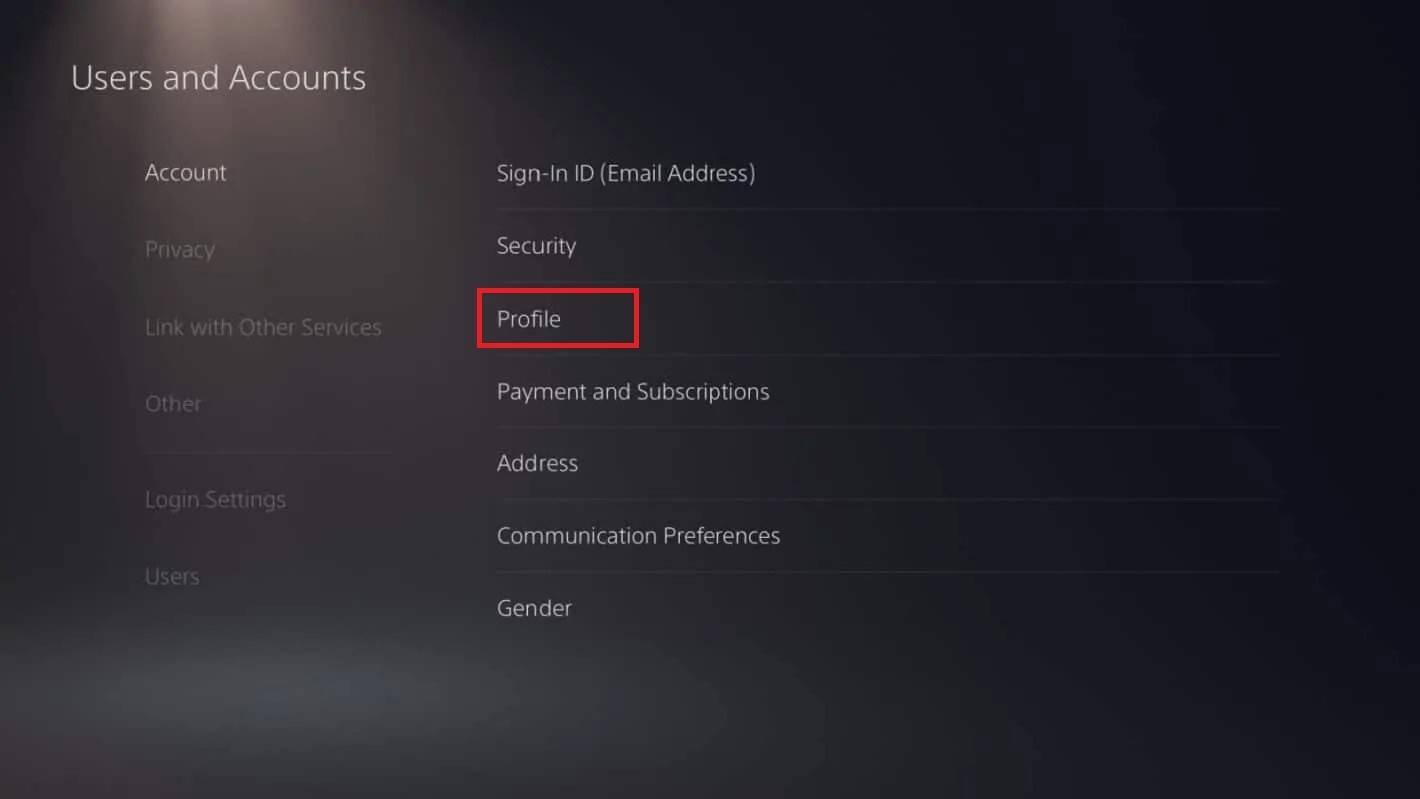
  2. 「ユーザーとアカウント」を選択し、「アカウント」、「プロファイル」を選択します。
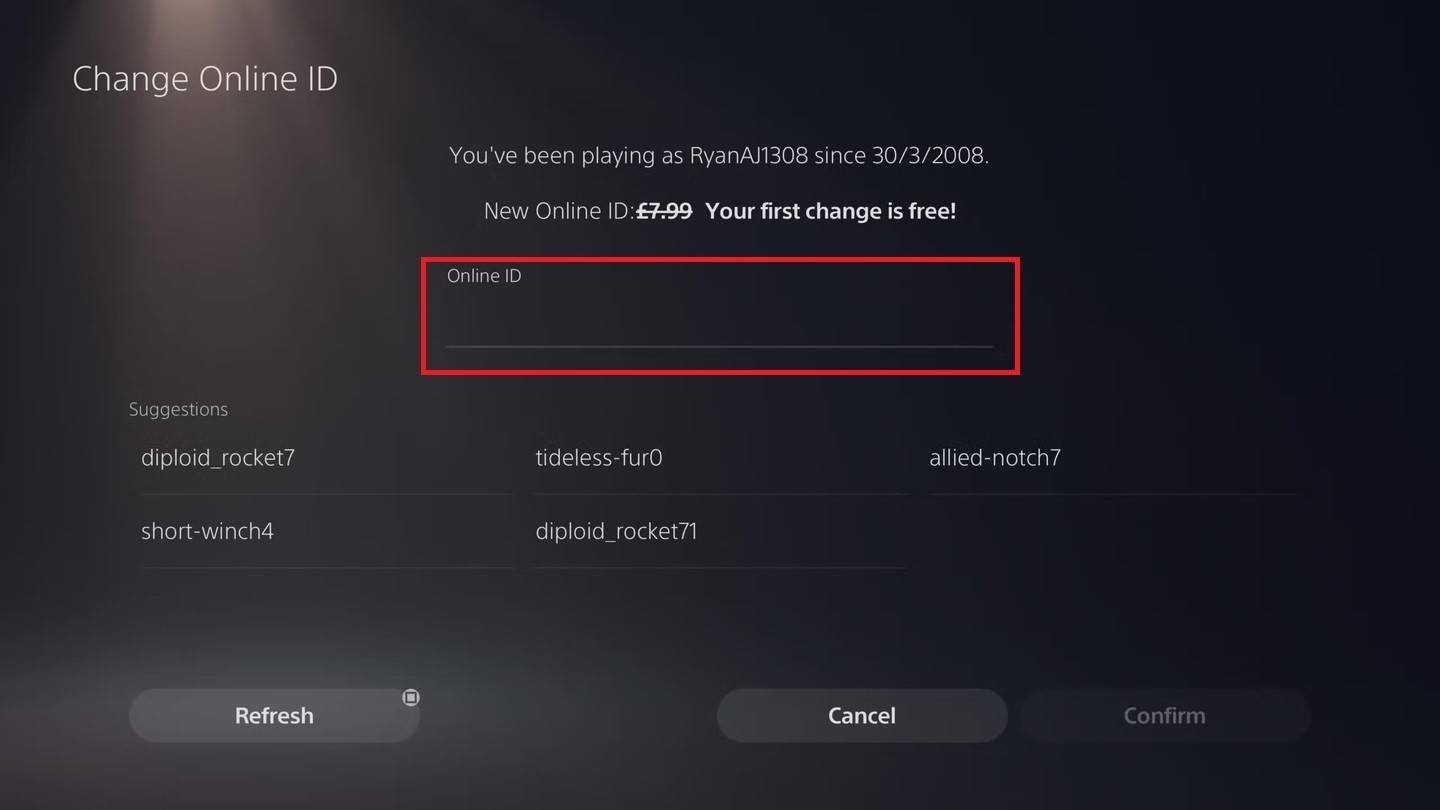
  3. 「オンラインID」を見つけて、「オンラインIDの変更」をクリックします。
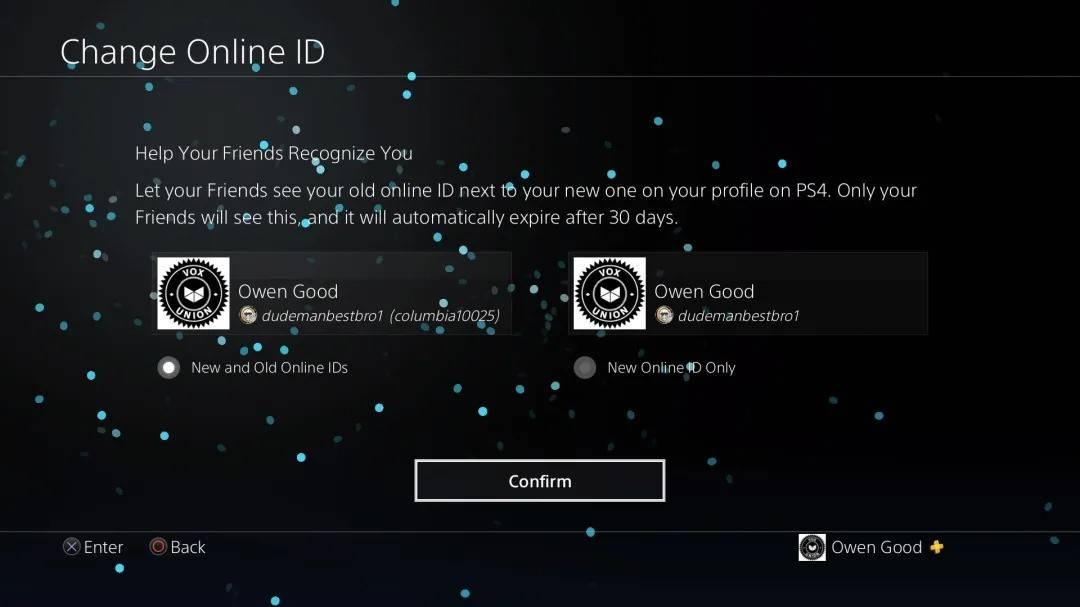
  4. 新しい名前を入力して確認してください。

注:Xboxと同様に、これはクロスプレイが無効になっているPlayStationプレーヤーのみに影響します。他の人はあなたのbattle.net battletagを見るでしょう。
PlayStationでユーザー名を変更しますPlayStationでユーザー名を変更しますPlayStationでユーザー名を変更しますPlayStationでユーザー名を変更しますPlayStationでユーザー名を変更しますPlayStationでユーザー名を変更します

最終的な推奨事項

プラットフォームとクロスプレイ設定に一致する上記の方法を選択します。覚えておいてください、あなたは1つの無料のBattletagの変更を取得するだけです。その後の変更にはお金がかかります。必要に応じて、battle.netウォレットに十分な資金があることを確認してください。

最新記事

もっと
Shadow of the Monkey King: The PS5 Patch That Shakes the System – 93GB Download Warning The highly anticipated Shadow of the Monkey King—officially titled Wukong—has dropped a major performance patch for PlayStation 5, promising smoother gameplay, enhanced visuals, and improved load times. But fans are bracing for a shock: the update weighs in at a massive 93GB. What’s New in the Patch? The latest patch brings significant improvements to the game’s already impressive technical foundation: Ray Tracing Enhancements: More realistic lighting, reflections, and ambient occlusion across all key environments—from the misty peaks of the Five Elements Mountains to the fiery depths of the Underworld. Framerate Stability: Fixed stuttering issues in high-combat sequences, ensuring a buttery-smooth 60fps experience in Performance Mode. Reduced Load Times: Level transitions and fast-travel now load up to 40% faster, thanks to optimized data streaming and expanded SSD utilization. AI & NPC Improvements: Enemies react more dynamically to player actions, and non-combat NPCs now display more lifelike behaviors and dialogue variations. The 93GB Download: Why So Big? While the patch delivers on quality, the 93GB size has sparked mixed reactions online. According to a dev note from Game Science: “This update includes over 100GB of new assets, including high-resolution textures, additional animation cycles, and expanded audio libraries. The bulk of the data is dedicated to preserving the game's artistic integrity and enabling future mod support through a new asset streaming framework.” Some users have pointed out that the base game is only ~40GB, meaning the patch nearly doubles the total storage requirement. What Should Players Do? Ensure You Have 100GB+ Free Space: The PS5 needs at least 100GB of free space for the full patch installation, including temporary files. Consider Using a Fast SSD: The patch’s large size and high-speed data transfer mean a fast external SSD or internal NVMe drive is recommended for optimal download and installation times. Download During Off-Peak Hours: With many players updating simultaneously, expect slower speeds during peak times. Fan Reactions The community is split: “93GB for a game that already looked gorgeous? I’ll take the upgrade.” – @PS5GamerPro “I’m not mad… I’m just disappointed my 500GB PS5 now has 100GB of ‘just for one game’.” – @GamingWithGrit “It’s worth it for the ray-traced rain in the Jade Emperor’s palace.” – @MonkeyKingFanatic Final Thoughts While the 93GB download is a hefty ask, the performance and visual gains make it a worthwhile investment for fans of Wukong. As one Reddit user put it: “It’s not a patch. It’s a revelation. Just… maybe start downloading on a weekend.” So, if you're ready to dive back into the mythic journey of Sun Wukong, grab your staff, clear some storage, and prepare for a transformation—both on screen and on your PS5’s hard drive. 🔥 Wukong has risen. But so has your download bar. 読む