Descrição do aplicativo
Meet Graphionica: Insta Story Maker, a stylish and free photo editor crafted to help you design eye-catching Instagram stories and social media graphics with ease. Create gorgeous collages, blend photos and videos, and add stickers, text, and exclusive backgrounds. With tools like background removal and customizable templates, your Instagram feed will capture everyone's attention!
What Graphionica: Insta Story Maker offers:
Diverse fonts and text styles:
Graphionica provides a rich selection of fonts and text options, including free ready‑made lettering and the ability to write your own text in various typefaces—some even support Cyrillic.
Ready‑made and custom templates:
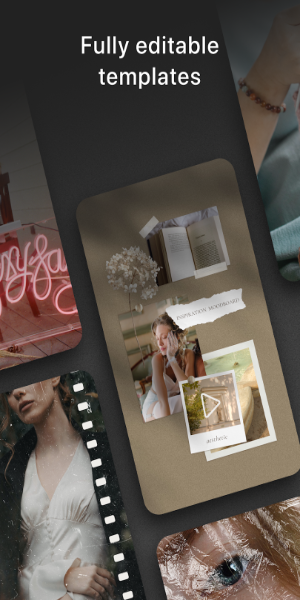
Choose from prepared templates to jump‑start your projects—fully editable so you can add stickers, photos, videos, and tweak every detail. Build your own templates to save time and keep your style uniquely yours.
High‑resolution export:
Graphionica supports all popular story and feed resolutions, delivering top‑quality exports without any compromise in clarity.
Video editing and history feature:
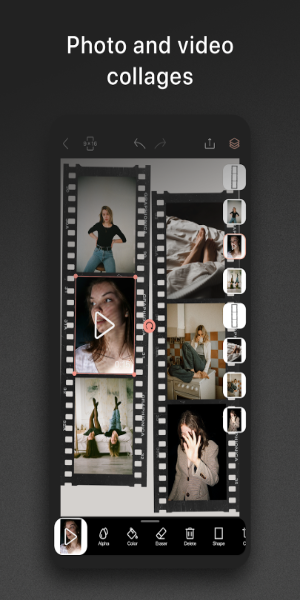
Beyond photos, Graphionica lets you edit videos—create collages, remove backgrounds, and overlay stickers, text, and captions. The app also keeps a history, so you can undo up to 50 actions if needed.
Tips to get the most out of it:
Play with fonts and text:
Try different fonts and text effects to make your Instagram stories and social posts more engaging and visually appealing.
Use templates to start fast:
Leverage ready‑made templates to speed up your workflow. Tweak them to fit your personal style or brand look.
Dive into video editing:
Go beyond static images—explore Graphionica’s video editing tools to produce lively, captivating content for all your social channels.
What can you do with it?
Graphionica puts a handy photo editor in your pocket, making it simple to create quick, beautiful story posts right on your mobile device. Pull any photo or video from your gallery, combine them with Graphionica’s built‑in templates, and craft cool stories in moments. Or use the in‑app camera to capture new footage and edit it directly into fresh stories.
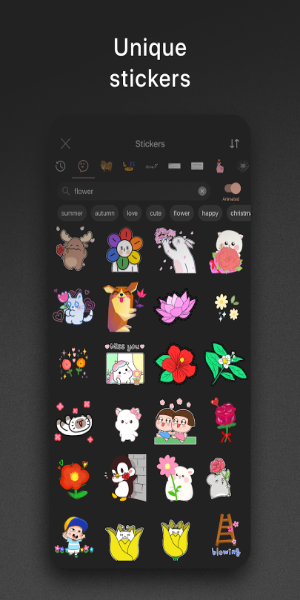
Browse tons of gorgeous, unique editing templates inside the app—each lets you polish your stories effortlessly. Unlock cool stickers and fun visual effects to transform the look of your posts. Experiment with templates from different collections. Refine your stories with a suite of photo and video editing tools. Adjust pro‑level settings and much more.
Requirements
To get started with Graphionica, Android users can grab the free version from 40407.com—available to everyone. The app packs plenty of useful editing features you can start using right away. Keep in mind, the free version includes ads, which may occasionally interrupt. To access all premium features, you’ll need to make in‑app purchases.
Like most Android apps, Graphionica requires certain device permissions to work fully. Be sure to allow these prompts when you first launch the app.
Also, we recommend updating your Android device to the latest firmware—ideally Android 7.0 or higher—for the smoothest, most stable experience with Graphionica.
What's New
Minor UI and UX improvements.
Captura de tela
Avaliações
Aplicativos como Graphionica: insta story maker














Aplicativos populares








Principais notícias








Aplicativos mais recentes






Artigos mais recentes